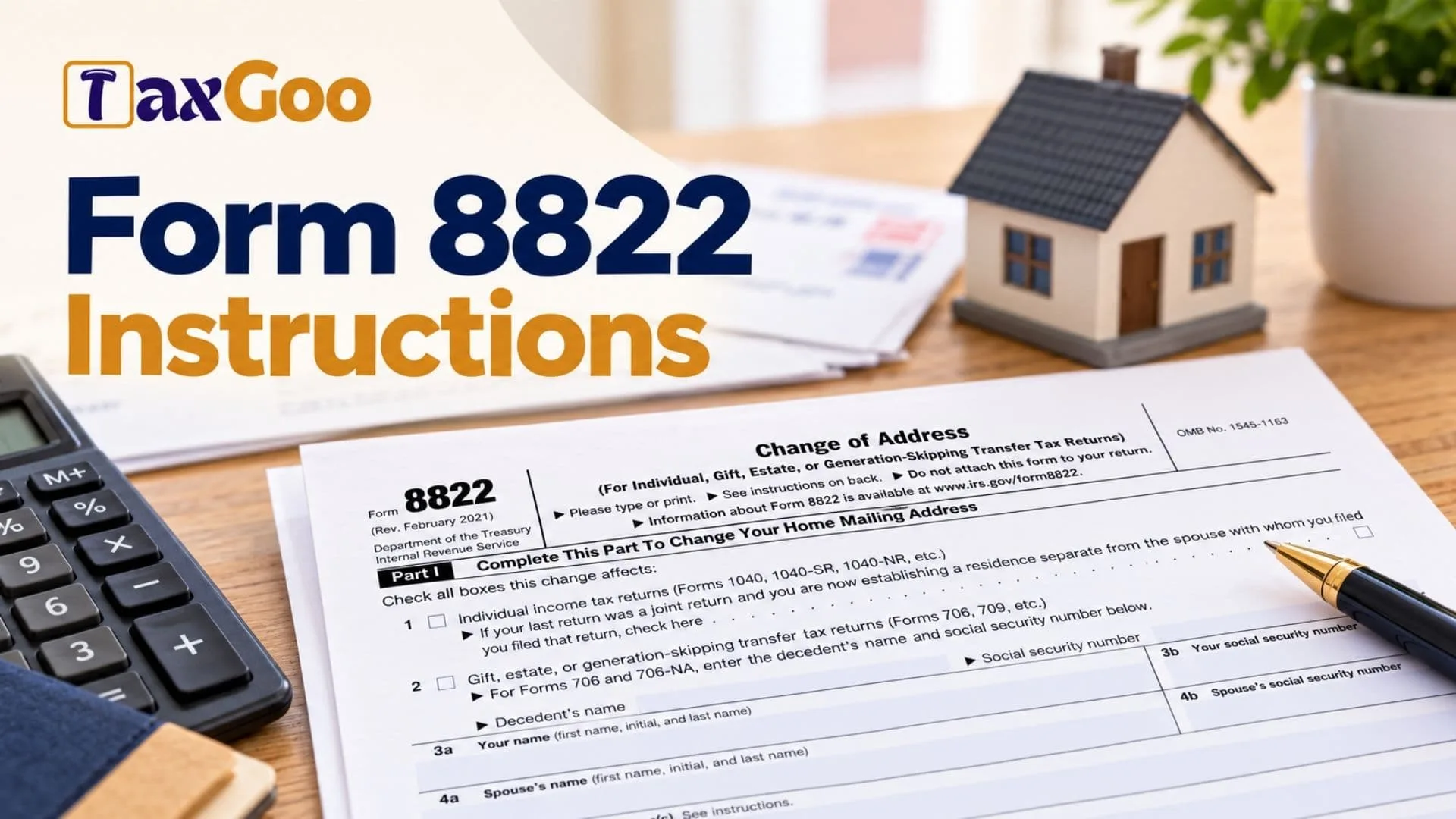
IRS Form 8822, known as the Change of Address form, allows individuals and certain taxpayers associated with gift, estate, and generation-skipping transfer tax returns to notify the Internal Revenue Service of a change in their mailing address. Keeping your address current helps ensure that IRS notices, tax correspondence, and other important communications reach you. The form collects identifying information, previous and new mailing addresses, relevant taxpayer and spouse details, and signatures confirming the requested change. It also allows taxpayers who previously filed a joint return to indicate when they are establishing a separate residence from their spouse. Form 8822 is intended for changes to a home mailing address, while business address changes generally require a different form. Completing the form accurately is important because an incorrect address, missing identifying information, or an incomplete signature section may delay processing. The IRS generally estimates that an address change takes four to six weeks to process. Form 8822 is not attached to your income tax return. Instead, you complete it separately and mail it to the appropriate IRS address based on the type of tax return involved and, in most individual cases, your previous home mailing address.
How To File Form 8822
Form 8822 is submitted by mail to the appropriate address listed in the filing instructions. You should not attach it to your federal income tax return or send it to an address intended for general correspondence or comments about IRS forms.
Before completing Form 8822, prepare the following information:
- Your full name and Social Security number.
- Your spouse’s name and Social Security number, if applicable.
- Any previous names that need to be reported.
- Your old mailing address, including apartment or suite information.
- Your new mailing address.
- The relevant details for an estate or decedent, if applicable.
- Your daytime telephone number, if you wish to provide one.
- The required taxpayer, spouse, or authorized representative signatures.
- Supporting authorization documents if someone signs on your behalf.
If you are changing the mailing address associated with your children’s individual income tax returns, a separate Form 8822 generally must be completed for each child.
If you are changing both your home and business mailing addresses, use Form 8822 for the home address and Form 8822-B for the business address.
Where To Mail Form 8822
The correct mailing address depends on which box you check in Part I and, for most individual address changes, the state or location of your previous home mailing address.
If you check Line 2 for gift, estate, or generation-skipping transfer tax returns:
Mail the form to:
Department of the Treasury
Internal Revenue Service Center
Kansas City, MO 64999-0023
If you do not check Line 2, use the address corresponding to your old home mailing address:
- Kansas City, Missouri: Alabama, Arkansas, Delaware, Georgia, Illinois, Indiana, Iowa, Kentucky, Maine, Massachusetts, Minnesota, Missouri, New Hampshire, New Jersey, New York, North Carolina, Oklahoma, South Carolina, Tennessee, Vermont, Virginia, and Wisconsin.Mailing address: Department of the Treasury, Internal Revenue Service, Kansas City, MO 64999-0023.
- Austin, Texas: Florida, Louisiana, Mississippi, and Texas.Mailing address: Department of the Treasury, Internal Revenue Service, Austin, TX 73301-0023.
- Ogden, Utah: Alaska, Arizona, California, Colorado, Connecticut, District of Columbia, Hawaii, Idaho, Kansas, Maryland, Michigan, Montana, Nebraska, Nevada, New Mexico, North Dakota, Ohio, Oregon, Pennsylvania, Rhode Island, South Dakota, Utah, Washington, West Virginia, and Wyoming.Mailing address: Department of the Treasury, Internal Revenue Service, Ogden, UT 84201-0023.
- Austin, Texas, for certain foreign and special filing situations: A foreign country, American Samoa, Puerto Rico when the specified exception applies, an APO or FPO address, certain taxpayers filing Forms 2555, 2555-EZ, or 4563, dual-status aliens, or taxpayers who are not bona fide residents of Guam or the U.S. Virgin Islands.Mailing address: Department of the Treasury, Internal Revenue Service, Austin, TX 73301-0023.
- Bona fide residents of Guam: Department of Revenue and Taxation, Government of Guam, P.O. Box 23607, GMF, GU 96921.
- Bona fide residents of the U.S. Virgin Islands: V.I. Bureau of Internal Revenue, 6115 Estate Smith Bay, Suite 225, St. Thomas, VI 00802.
Mailing instructions can change, so verify the current instructions before sending your form.

How To Complete Form 8822
Part I: Change Of Home Mailing Address
Part I identifies the type of tax return affected by your address change and records your previous and new address information. Check all applicable boxes and complete the fields relevant to your circumstances.
Line 1: Individual Income Tax Returns
Check this box if the address change affects your individual income tax returns, including Forms 1040, 1040-SR, or 1040-NR.
If you previously filed a joint return with your spouse and are now establishing a separate residence, use the additional checkbox associated with Line 1 to indicate that situation. This is important because it affects the spouse’s signature requirement.
Line 2: Gift, Estate, Or Generation-Skipping Transfer Tax Returns
Check this box if the address change relates to gift tax, estate tax, or generation-skipping transfer tax returns, such as Forms 706 or 709.
When the change concerns Forms 706 or 706-NA, enter the decedent’s name and Social Security number in the designated fields below this section. Use the identifying information associated with the deceased individual.
If you check Line 2, follow the special mailing instructions for these types of returns.
Decedent’s Name
Enter the full name of the deceased individual associated with the applicable estate tax return. This field is relevant when the form is being used for the specified estate tax filings.
Decedent’s Social Security Number
Enter the decedent’s Social Security number. Check the number against the estate’s records before submitting the form.
Line 3a: Your Name
Enter your first name, middle initial, and last name. Use the name associated with your tax records so that the IRS can identify the correct taxpayer.
If your name has changed because of marriage, divorce, or another reason, report the relevant prior name in Line 5a as instructed.
Line 3b: Your Social Security Number
Enter your Social Security number. Review the digits carefully to avoid identifying the wrong taxpayer or delaying the address update.
Line 4a: Spouse’s Name
Enter your spouse’s first name, middle initial, and last name when applicable. Use the spouse’s identifying information associated with the relevant tax records.
Line 4b: Spouse’s Social Security Number
Enter your spouse’s Social Security number. Make sure the number matches the spouse named in Line 4a.
Line 5a: Your Prior Name(s)
Enter any previous name or names that are relevant to identifying your tax records. This may include a name used before marriage or a previous legal name following divorce or another change.
If your name has changed, also notify the Social Security Administration so its records match the name you use on your tax return. Differences between these records can cause processing delays and may affect the handling of refunds or future Social Security benefits.
Line 5b: Spouse’s Prior Name(s)
Enter your spouse’s previous name or names when applicable. This helps the IRS associate the address change with the correct records if the spouse’s name has changed.
If no prior name applies, do not invent one. Complete the field according to your circumstances and the form’s instructions.
Line 6a: Your Old Address
Enter your complete previous home mailing address. Include the street number, street name, apartment or suite number, city or town, state, and ZIP code, as applicable.
If the previous address was outside the United States, complete the foreign address fields below Line 6a.
If you received mail through a third party, such as an accountant or attorney, include the appropriate care-of information. For example, use “C/O” followed by the third party’s name and mailing address.
Foreign Country Name Under Line 6a
If your old address was outside the United States, enter the full name of the foreign country. Do not abbreviate the country name.
Foreign Province/County Under Line 6a
Enter the province, county, or corresponding administrative area used in the foreign address, where applicable.
Foreign Postal Code Under Line 6a
Enter the postal code used for the previous foreign address. Follow the postal formatting conventions of that country.
Line 6b: Spouse’s Old Address, If Different
Enter your spouse’s previous home mailing address if it differs from the address entered on Line 6a. Include the street number, street name, apartment or suite number, city or town, state, and ZIP code, as applicable.
If the spouse’s previous address was outside the United States, complete the foreign address fields beneath Line 6b.
If both spouses had the same previous address, the separate spouse address field is generally unnecessary.
Foreign Country Name Under Line 6b
Enter the full name of the foreign country if your spouse’s old address was outside the United States. Avoid abbreviations.
Foreign Province/County Under Line 6b
Provide the province, county, or equivalent administrative area associated with the spouse’s former foreign address, if applicable.
Foreign Postal Code Under Line 6b
Enter the postal code for the spouse’s previous foreign mailing address, following the country’s standard format.
Line 7: New Address
Enter your complete new home mailing address. Include the street number, street name, apartment or suite number, city or town, state, and ZIP code.
If the new address is a P.O. box, follow the form’s specific instructions. Enter the box number instead of a street address only when the post office does not deliver mail to your street address.
If you are moving to a foreign country, complete the foreign address fields below Line 7.
Make sure the address is accurate and includes every detail needed for postal delivery.
Foreign Country Name Under Line 7
Enter the full name of the country associated with your new foreign mailing address. Do not abbreviate the country name.
Foreign Province/County Under Line 7
Enter the relevant province, county, or equivalent administrative area for your new foreign address, if applicable.
Foreign Postal Code Under Line 7
Enter the postal code associated with the new foreign address, following that country’s standard format.
Part II: Signature
Part II confirms the request and identifies the person signing the form. The taxpayer, spouse when required, or authorized representative must complete the applicable signature fields.
Daytime Telephone Number Of Person To Contact
Enter a daytime telephone number where the IRS can reach you or the appropriate contact if clarification is needed. This field is optional.
Providing a reliable telephone number may help resolve questions about the address change, but you are not required to complete this field.
Your Signature
Sign the form to confirm that the address change is being requested by the taxpayer or an authorized person. The taxpayer, executor, donor, or authorized representative may be required to sign, depending on the type of tax matter involved.
If a representative signs on behalf of the taxpayer, attach a copy of the required power of attorney. Form 2848 may be used for this purpose.
The IRS will not process an address change requested by an unauthorized third party.
Date Next To Your Signature
Enter the date you sign the form. Check that the date is accurate and that the signature belongs to the person identified in the applicable section.
Spouse’s Signature
If your previous tax return was a joint return, your spouse generally must also sign the form.
An exception applies when you check the separate-residence checkbox associated with Line 1 to indicate that you are establishing a separate residence from the spouse with whom you filed the previous joint return.
Date Next To Spouse’s Signature
Enter the date your spouse signs the form. Ensure the date reflects when the spouse provided the signature.
Signature Of Representative, Executor, Or Administrator
If someone with the appropriate authority is signing on behalf of the taxpayer or estate, that person should sign in the designated representative field.
The person signing must have the legal authority to act in the relevant capacity. A representative signing on behalf of the taxpayer must provide a copy of the applicable power of attorney when required.
Date Next To Representative’s Signature
Enter the date the representative, executor, or administrator signs the form.
Title
Enter the representative’s role or capacity, when applicable. Examples include executor, administrator, or another authorized representative role appropriate to the matter.
The title should accurately describe the capacity in which the person is signing.
Additional Instructions For Completing Form 8822
Address Formatting Rules
Careful address formatting helps the IRS identify the correct taxpayer and deliver correspondence to the proper location.
Apartment, Room, Or Suite Numbers
Always include the apartment, room, or suite number when one applies. Omitting it can prevent mail from reaching the correct location.
P.O. Box Addresses
Use a P.O. box number instead of the street address only when the post office does not deliver mail to the street address. Follow the form’s instructions when entering a P.O. box.
Foreign Addresses
Enter the complete foreign country name without abbreviations. Use the appropriate province or county and postal code fields, following the postal practices of the country involved.
Care-Of Addresses
If someone else receives your mail on your behalf, enter “C/O” followed by that person’s name and street address or P.O. box. This may apply when your mail is handled by an accountant, attorney, or another third party.
Changing An Address For A Child
If a change of address also affects the mailing address associated with a child’s individual income tax return, prepare a separate Form 8822 for each child whose records need to be updated.
Make sure each form contains the child’s identifying information and the relevant old and new mailing addresses.
Changing A Business Address
Form 8822 is intended for home mailing address changes. If you need to update a business address, use Form 8822-B.
If both your home and business addresses have changed, determine which form applies to each change and submit the appropriate form separately.
Processing Time
The IRS generally estimates that processing a change of address takes four to six weeks. Allow time for the update to be completed before assuming the IRS has changed its records.
Continue to monitor important tax correspondence and keep copies of the information you submitted.
Privacy And Recordkeeping Information
Form 8822 requests personal information so the IRS can identify the taxpayer and administer federal tax laws. Social Security numbers are used to associate the address change with the correct tax records.
Tax returns and related information are generally confidential, although the law permits certain disclosures to federal agencies, state and local authorities, foreign governments under applicable tax treaties, and law enforcement agencies in specified circumstances.
Submitting the form is voluntary, but failing to provide the IRS with your current mailing address can have serious consequences. You may not receive a notice of deficiency or a notice and demand for tax. Penalties and interest can continue to accrue on tax deficiencies even if you do not receive those notices.
Keep relevant records for as long as they may be needed for the administration of federal tax law. The form’s instructions estimate that completing and filing Form 8822 takes approximately 16 minutes, although the time required may vary depending on your circumstances.
If you want to provide feedback about the form itself, use the IRS form-comment process. Do not send the address change form to the address designated for comments.
Final Review Before Filing
Before mailing Form 8822, review each applicable field and confirm that your information is complete and accurate.
- Check the correct tax-return category in Part I.
- Select the separate-residence checkbox if it applies to your circumstances.
- Enter the decedent’s name and Social Security number when required for Forms 706 or 706-NA.
- Verify your name and Social Security number.
- Verify your spouse’s name and Social Security number, if applicable.
- Include all relevant prior names for you and your spouse.
- Enter your complete old mailing address.
- Complete the spouse’s old address fields if the address differs from yours.
- Enter your complete new mailing address.
- Include apartment, room, or suite numbers where applicable.
- Complete the foreign country, province or county, and postal code fields for foreign addresses.
- Follow the P.O. box and care-of address instructions when applicable.
- Provide a daytime telephone number if you wish to do so.
- Obtain the taxpayer’s signature and date.
- Obtain the spouse’s signature and date when required.
- Complete the representative’s signature, date, and title fields when applicable.
- Attach the required power of attorney if a representative signs on your behalf.
- Confirm that you are using the correct mailing address for your circumstances.
- Keep a copy of the completed form and any supporting authorization documents for your records.
Form 8822 helps ensure that the IRS has the correct mailing address for your tax records. Taking the time to complete the identifying information, address fields, and signature section carefully can help prevent unnecessary processing delays and missed tax correspondence.