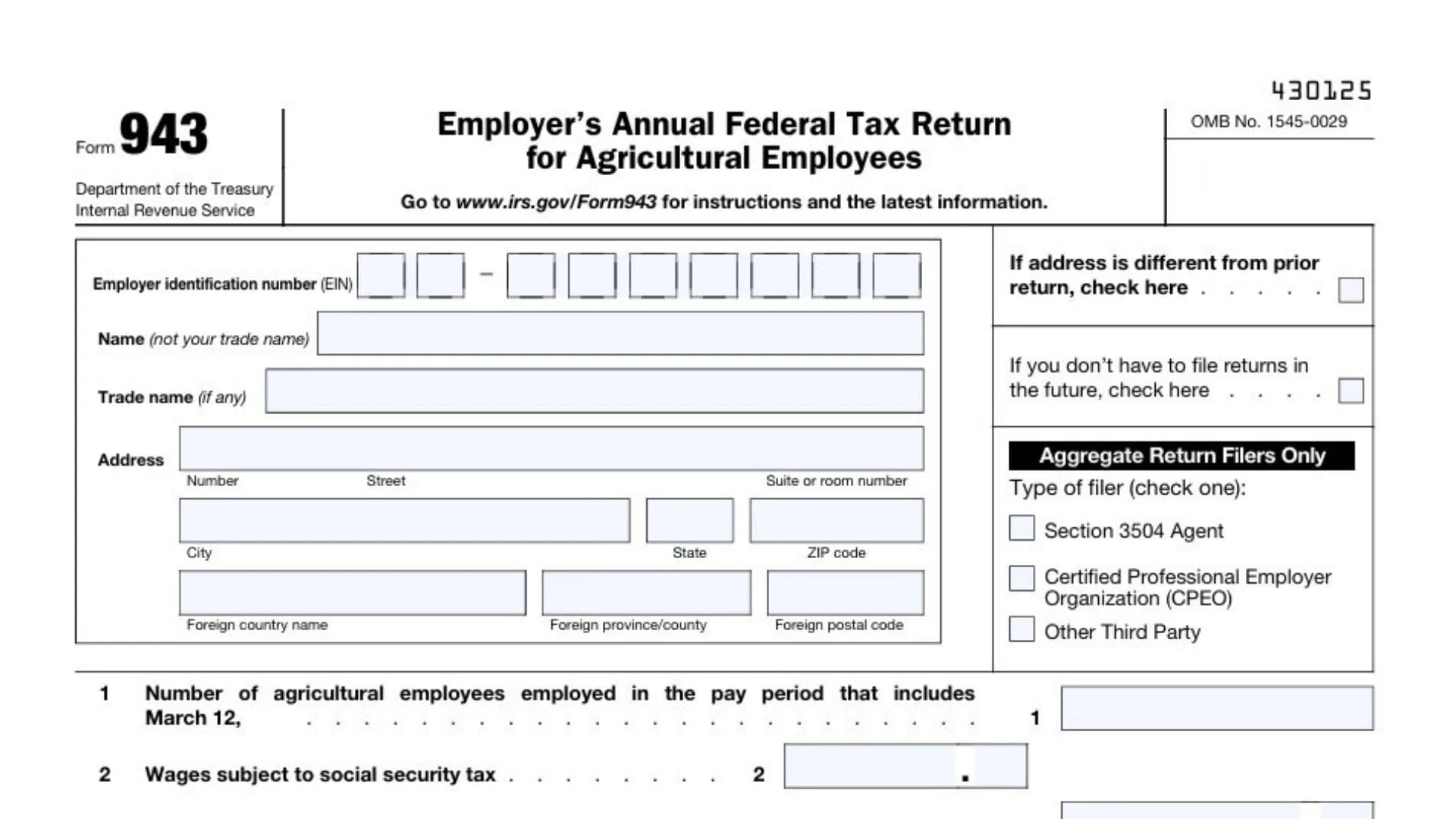
Form 943, officially titled the Employer’s Annual Federal Tax Return for Agricultural Employees, is a mandatory tax document designed specifically for employers in the agricultural sector. Unlike standard businesses that might file quarterly using Form 941, agricultural employers typically report their federal tax obligations once a year using this specialized form. It consolidates the reporting of wages paid to farmworkers, along with the corresponding withholdings for federal income tax, Social Security tax, and Medicare tax. This form is essential for maintaining compliance with the IRS if you pay wages to farmworkers that are subject to these taxes. It serves as a comprehensive annual summary that ensures you, as an employer, have withheld the correct amounts from your employees’ paychecks and contributed your required share of payroll taxes. Essentially, if you run a farm, ranch, nursery, or greenhouse and hire labor, Form 943 is the ledger that proves to the government you are playing by the rules.
How To File Form 943
Filing Form 943 involves a few key steps to ensure you meet IRS requirements. First, the deadline: you generally must file this form by January 31 of the year following the tax year you are reporting. However, if you have deposited all your taxes on time and in full, you get a slight extension and can file by February 10.
You can file Form 943 in two primary ways:
- Electronically: This is the preferred method. You can use tax software or a tax professional to e-file, which is faster and reduces errors.
- By Mail: You can mail the paper form to the address specified in the official IRS instructions, which varies depending on your location and whether you are including a payment.
Remember, if your total tax liability is high (generally $2,500 or more), you are required to make deposits throughout the year using the Electronic Federal Tax Payment System (EFTPS) rather than paying everything when you file the return.

How To Complete Form 943
Below is a detailed walkthrough of each section of the 2025 Form 943, ensuring you capture every necessary detail without confusion.
Employer Information
- Top Section: Clearly print your Name (not your trade name) and Employer Identification Number (EIN).
- Trade Name: If you use a different business name (DBA), enter it here.
- Address: Fill in your full mailing address, including city, state, and ZIP code.
- Checkboxes: Mark the appropriate box if your address has changed or if this is your final return because you will not be filing in the future.
Part 1: Wages and Taxes
- Line 1: Enter the number of agricultural employees you paid during the pay period that includes March 12, 2025.
- Line 2: Input the total wages subject to social security tax.
- Line 3: Calculate the social security tax by multiplying the amount on Line 2 by 12.4% (0.124).
- Line 4: Input the total wages subject to Medicare tax.
- Line 5: Calculate the Medicare tax by multiplying the amount on Line 4 by 2.9% (0.029).
- Line 6: Enter wages subject to Additional Medicare Tax withholding (applies to wages over $200,000).
- Line 7: Calculate the Additional Medicare Tax by multiplying the amount on Line 6 by 0.9% (0.009).
- Line 8: Enter the total federal income tax withheld from your employees’ wages.
- Line 9: Add Lines 3, 5, 7, and 8 to get your Total taxes before adjustments.
- Line 10: Enter any Current year’s adjustments (fractions of cents, sick pay, etc.).
- Line 11: Combine Line 9 and Line 10 to find your Total taxes after adjustments.
- Line 12: If applicable, enter the Qualified small business payroll tax credit for increasing research activities (you must attach Form 8974).
- Line 13: Subtract Line 12 from Line 11 to determine your Total taxes after adjustments and nonrefundable credits.
- Line 14: Enter your Total deposits made for 2025, including any overpayment you applied from a previous year.
- Line 15 (Balance Due): If Line 13 is greater than Line 14, enter the difference here. This is what you owe.
- Line 16a (Overpayment): If Line 14 is greater than Line 13, enter the difference here.
- Line 16b: Check the box to choose whether to Apply to next return or Send a refund.
Deposit Schedule and Monthly Summary
- Line 17 Checkboxes: Look at Line 13.
- If Line 13 is less than $2,500, you do not need to complete Line 17 or Form 943-A.
- If you are a semiweekly schedule depositor, complete Form 943-A and check the designated box.
- If you are a monthly schedule depositor, check the designated box and fill out the monthly summary below.
- Lines 17a–17l: For monthly depositors, enter your tax liability for each month (Jan through Dec).
- Line 17m: Add Lines 17a through 17l. This total must equal the amount on Line 13.
Third-Party Designee
- Check Yes if you want to allow an employee or tax preparer to discuss this return with the IRS. Enter their name, phone number, and a 5-digit PIN.
- Check No if you do not want to authorize anyone.
Signature
- Signature Section: You must sign your name, print your name and title, and enter the date and your daytime phone number.
- Paid Preparer Use Only: If you paid someone to prepare this form, they must complete this section with their PTIN, signature, firm name, EIN, and address.
Payment Voucher (Form 943-V)
- Purpose: Only use this voucher if you are making a payment with your return by check or money order.
- Box 1: Enter your EIN.
- Box 2: Enter the Amount of your payment.
- Box 3: Enter your Business name and Address.
- Instruction: Make your check payable to “United States Treasury” and ensure your EIN, “Form 943”, and “2025” are written on it. Do not staple the check to the form.