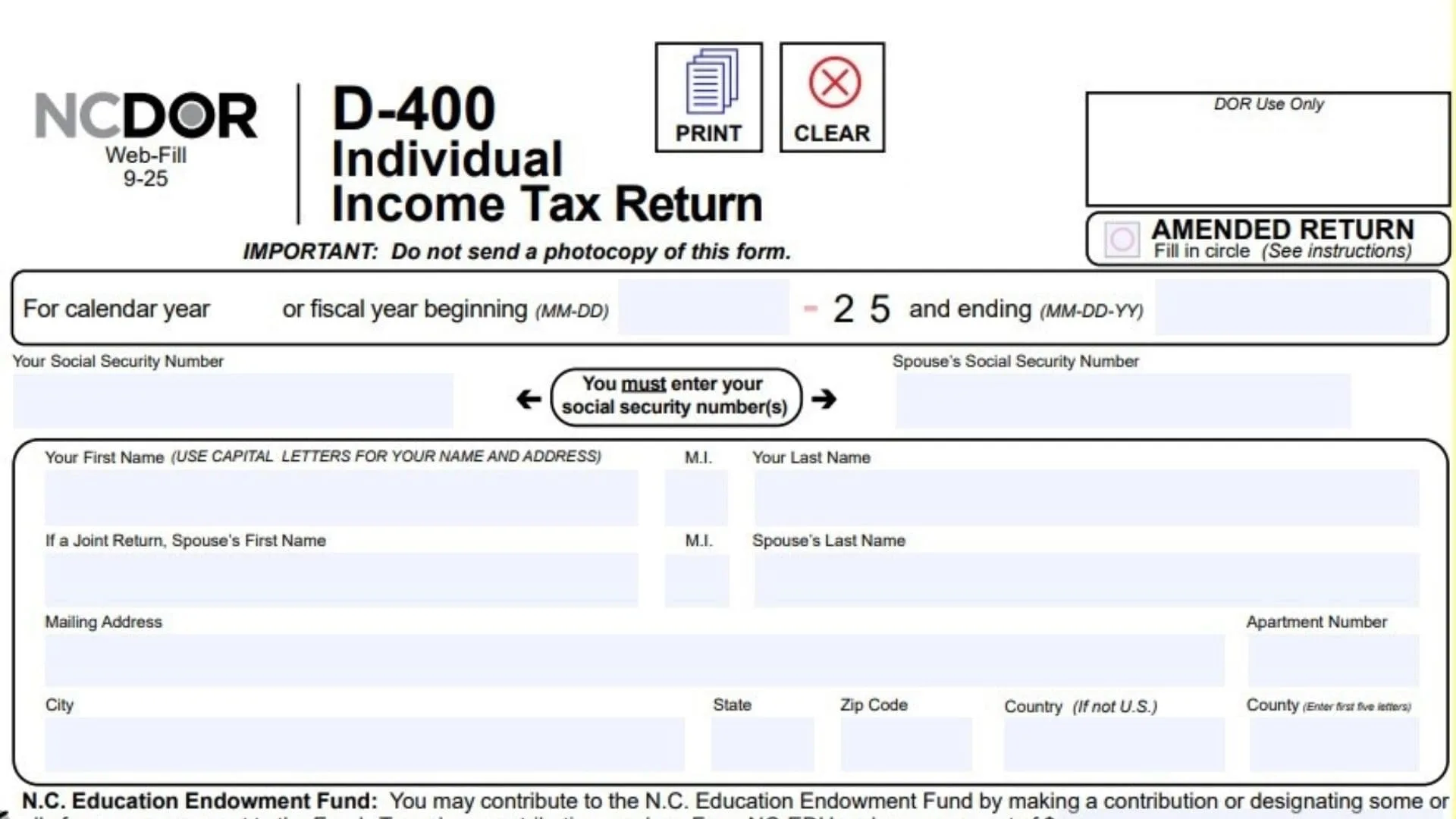
The Form D-400 is the official Individual Income Tax Return document for the state of North Carolina, administered by the North Carolina Department of Revenue . This form is utilized by residents, part-year residents, and nonresidents who earned income in the state to report their earnings and calculate their tax liability for the 2025 tax year . The document serves as the primary instrument for reconciling your federal adjusted gross income with specific North Carolina adjustments, applying for state-specific deductions and credits, and ultimately determining whether you owe additional taxes or are entitled to a refund . It also includes sections for voluntary contributions to various state funds and requires specific schedules if you have complex residency status or income adjustments .
How To File Form D-400?
Once you have completed and signed your return, you must mail it to the correct address based on your results. If your calculation results in a refund, mail the return to N.C. DEPT. OF REVENUE, P.O. BOX R, RALEIGH, NC 27634-0001 . However, if you are not due a refund or if you owe a payment, you must mail the return, your payment, and Form D-400V to N.C. DEPT. OF REVENUE, P.O. BOX 25000, RALEIGH, NC 27640-0640 . If you owe tax, you may also pay online via the NCDOR website .

How To Complete Form D-400
General Guidelines and Formatting Before beginning, ensure you are using the latest version of the form. Do not handwrite the information; instead, type your entries . When entering numerical amounts, do not use commas . If you need to report a negative number, use a minus sign rather than placing the number in brackets .
Personal Information Section At the top of the form, enter your Social Security Number and, if filing jointly, your spouse’s Social Security Number . Enter the calendar year dates (usually beginning 01-01-25 and ending 12-31-25) . Input your First Name, Initial, and Last Name using capital letters . If applicable, enter your spouse’s name below yours. Provide your current mailing address, including City, State, Zip Code, and County (first five letters only) . If the taxpayer or spouse is deceased, fill in the circle for “Deceased Taxpayer Information” and enter the date of death .
Filing Status (Lines 1-5) You must fill in exactly one circle corresponding to your federal filing status:
- Line 1: Single .
- Line 2: Married Filing Jointly .
- Line 3: Married Filing Separately. If you choose this, you must enter your spouse’s full name and Social Security Number in the provided text box .
- Line 4: Head of Household .
- Line 5: Qualifying Widow(er). You must also enter the year your spouse died .
Residency and Veteran Information Answer the residency questions by selecting Yes or No regarding whether you and your spouse were residents of N.C. for the entire year . If you answer “No,” you must complete and attach Form D-400 Schedule PN . Indicate if you or your spouse are veterans . If you were granted an automatic federal extension (like Form 1040), fill in the “Federal Extension” circle .
Income Calculation (Lines 6-15)
- Line 6: Enter your Federal Adjusted Gross Income exactly as it appears on your federal return .
- Line 7: Enter any Additions to Federal Adjusted Gross Income calculated from Form D-400 Schedule S, Part A, Line 16 .
- Line 8: Add the amounts from Line 6 and Line 7 and enter the total here .
- Line 9: Enter Deductions from Federal Adjusted Gross Income calculated from Form D-400 Schedule S, Part B, Line 41 .
- Line 10a: Enter the number of qualifying children for whom you were allowed a federal child tax credit .
- Line 10b: Enter the specific monetary amount of the Child Deduction based on the number of children .
- Line 11: Select the circle for either “N.C. Standard Deduction” or “N.C. Itemized Deductions” and enter the corresponding amount. See Form D-400 Schedule A if itemizing .
- Line 12a: Add the amounts from Lines 9, 10b, and 11 together .
- Line 12b: Subtract Line 12a from Line 8 to determine your net income base .
- Line 13: If you are a part-year resident or nonresident, enter the taxable decimal amount from Form D-400 Schedule PN, Line 24. Full-year residents should skip this .
- Line 14: Calculate North Carolina Taxable Income. Full-year residents enter the amount from Line 12b. Part-year residents and nonresidents must multiply Line 12b by the decimal on Line 13 .
- Line 15: Multiply the amount on Line 14 by the tax rate of 4.25% (0.0425) to calculate your North Carolina Income Tax .
Tax Credits and Payments (Lines 16-25)
- Line 16: Enter the total Tax Credits from Form D-400TC, Part 3, Line 20 .
- Line 17: Subtract Line 16 from Line 15 to get your net tax .
- Line 18: Enter any Consumer Use Tax due on internet or out-of-state purchases. If no tax is due, fill in the certification circle .
- Line 19: Add Lines 17 and 18 to calculate your total liability .
- Line 20a: Enter your North Carolina income tax withheld from wages (attach W-2s) .
- Line 20b: Enter your spouse’s North Carolina income tax withheld .
- Line 21a: Enter your 2025 estimated tax payments .
- Line 21b: Enter any payments made with an extension .
- Line 21c: Enter partnership tax payments and attach the NC K-1 .
- Line 21d: Enter S Corporation tax payments and attach the NC K-1 .
- Line 22: If this is an amended return, enter any additional payments made with the original return .
- Line 23: Add Lines 20a through 22 to get your total payments .
- Line 24: If this is an amended return, enter any previous refunds received .
- Line 25: Subtract Line 24 from Line 23 to determine your total adjusted payments .
Amount Due or Overpayment (Lines 26-34)
- Line 26a: Tax Due. If Line 25 is less than Line 19, subtract Line 25 from Line 19 .
- Line 26b: Enter any applicable penalties .
- Line 26c: Enter any applicable interest .
- Line 26d: Add Lines 26b and 26c .
- Line 26e: Enter interest on the underpayment of estimated income tax if applicable .
- Line 27: Add Lines 26a, 26d, and 26e. This is your Total Amount Due. Pay this amount in U.S. currency .
- Line 28: Overpayment. If Line 25 is more than Line 19, subtract Line 19 from Line 25 .
- Line 29: Enter the amount of the overpayment you wish to apply to your 2026 Estimated Income Tax .
- Line 30: Enter the amount you wish to contribute to the N.C. Nongame and Endangered Wildlife Fund .
- Line 31: Enter the amount you wish to contribute to the N.C. Education Endowment Fund .
- Line 32: Enter the amount you wish to contribute to the N.C. Breast and Cervical Cancer Control Program .
- Line 33: Add Lines 29 through 32 to calculate total deductions from your refund .
- Line 34: Subtract Line 33 from Line 28. This is the final Amount To Be Refunded to you .
Signatures and Authorization The taxpayer (and spouse if filing jointly) must sign and date the return at the bottom of Page 2 . Enter a contact phone number . If you used a paid preparer, they must sign and provide their FEIN, SSN, or PTIN, along with their contact information . You may also check the box to authorize the Department of Revenue to discuss the return with your preparer .