
As the tax season approaches and the pressure mounts for every dedicated tax professional, there is nothing quite as panic-inducing as realizing you have misplaced the most critical component of your practice’s infrastructure. If you are frantically searching for How to Find Your EFIN Number for Free, you can finally take a deep breath because locating your Electronic Filing Identification Number is not only a straightforward process, but it is also completely cost-free through the official channels provided by the Internal Revenue Service. Whether you are a seasoned CPA, an Enrolled Agent, or a new tax preparer getting ready to submit client returns, understanding the navigation of your IRS e-Services account is essential to retrieving this unique six-digit code that authorizes you to participate in the e-file program. Instead of wasting valuable time on paid third-party lookups or waiting on hold for hours with customer support, our comprehensive guide will walk you through the exact steps to access your application summary, verify your status, and secure your credentials so you can get back to what you do best—serving your clients and managing their financial obligations efficiently.
Understanding The Importance Of Your EFIN
Before diving into the retrieval process, it is vital to understand that your EFIN is distinct from your PTIN (Preparer Tax Identification Number). While the PTIN identifies you as a paid preparer, the EFIN identifies the physical or virtual firm that is authorized to electronically transmit tax returns to the IRS. This number is non-transferable and is the bedrock of your professional legitimacy. If you operate your own tax business, you cannot simply borrow a number from a colleague or a software provider; you must possess your own active number linked specifically to your firm’s Employer Identification Number (EIN) or your Social Security Number for sole proprietorships. Ensuring this number is active and correct is the first step in setting up your professional tax software for the upcoming filing year.
Accessing The IRS E-Services Dashboard
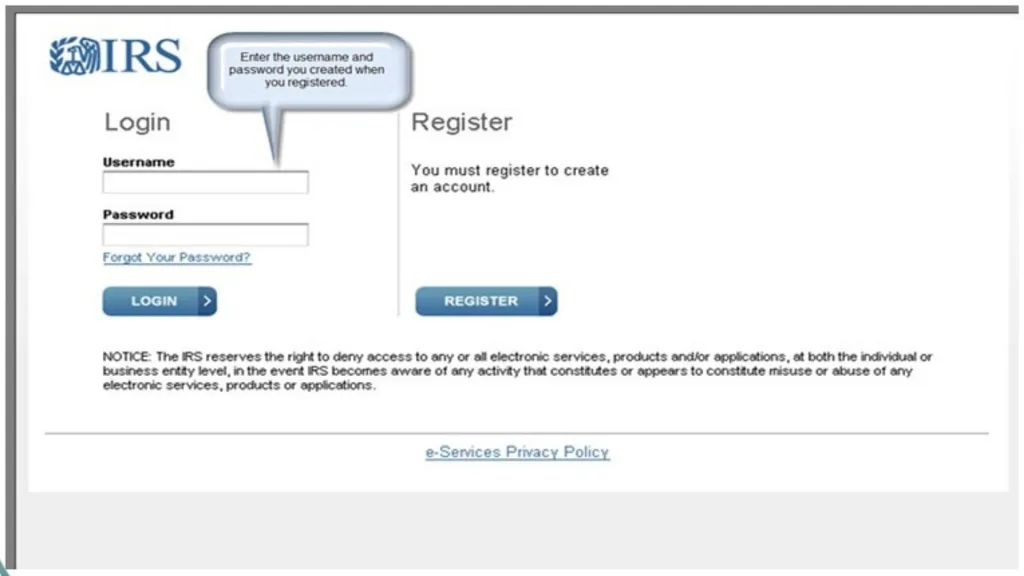
The primary method to locate your lost or forgotten number is through the secure IRS e-Services portal. This is a gated database reserved for approved tax professionals. To begin, navigate to the official IRS website and locate the “Tax Pros” section. You will need to log in using the secure access authentication method, which currently utilizes ID.me or a similar credential service provider to verify your identity. Once you have successfully passed the multi-factor authentication and are on the main dashboard, look for the link labeled “Application” or “e-file Application.” It is a common misconception that you need to re-apply; rather, you are simply entering the application portal to view your existing data.
Locating The Number On Your Application Summary
Once you have entered the e-file application section, you do not need to start a new form. Instead, look for a status section or a list of existing applications associated with your account. Select your firm’s name to open the detailed view. Here, you will find a document often referred to as the “Application Summary.” This page acts as your official proof of authorization. At the very top of this summary, usually clearly labeled, you will see your six-digit EFIN status. If the status reads “Active,” the number listed there is valid for use in your tax software. You can print this page to PDF and save it securely, as many software providers will require a copy of this summary to license their product to you.
Distinguishing Between Active And Inactive Status
Finding the number is only half the battle; ensuring it is usable is the other. Occasionally, professionals may find their EFIN, but the status is listed as “Inactive” or “Dropped.” This can happen if the number has not been used for two consecutive years, or if there was an issue with a suitability check or undeliverable mail. If you find your number for free but discover it is inactive, you cannot use it to file. You will need to contact the IRS e-help desk directly or update your application within the portal to reactivate it. Using a dropped number will result in immediate rejection of all tax returns transmitted under that ID, causing significant delays for your clients.

Security Best Practices For Your EFIN
Since your EFIN allows for the transmission of sensitive financial data, treating it with the same security as a bank password is non-negotiable. Do not post this number on public forums or social media while asking for help. Fraudsters often hunt for valid EFINs to commit tax refund fraud, filing false returns under a legitimate firm’s identity. By finding your number through the official, secured IRS portal rather than unverified third-party websites, you are already practicing good cyber hygiene. Remember to monitor your EFIN status weekly during the filing season to ensure nobody else is using your credentials to file returns that you did not prepare.
Frequently Asked Questions
Q: Can I look up someone else’s EFIN number?
A: No, EFINs are private and confidential; you can only access the number assigned to your specific firm through your secure login.
Q: How much does it cost to get an EFIN from the IRS?
A: The application and the number assignment are free, though you may have to pay a fee for fingerprinting if a background check is required.
Q: Do I need a new EFIN every year?
A: No, once you have an active EFIN, it remains yours, but you must keep your application up to date and use it at least once every two years to keep it active.