Waiting for a tax refund can feel like watching water boil—excruciatingly slow and boring, especially when you have plans for that extra cash. If you are one of the millions of residents asking How to Track Your California Tax Refund Status, you are in luck because the Franchise Tax Board (FTB) has made the process surprisingly transparent for 2026. Whether you e-filed your return and are expecting a direct deposit or mailed in a paper form and are waiting for a check, monitoring your money is just a few clicks away. In this guide, we will walk you through the exact steps to use the “Where’s My Refund?” tool, explain what those cryptic status messages actually mean, and give you the insider timelines on when you can expect your funds to hit your bank account. We will also cover what to do if your refund goes missing in action and provide the essential contact numbers you need to speak to a real human. So, stop refreshing your banking app every five minutes and let’s get proactive about tracking down your hard-earned money!
The Golden Ticket: “Where’s My Refund?” Tool
The absolute fastest way to see the status of your money is through the FTB’s official online portal. It’s updated once a day (usually overnight), so there’s no need to check it hourly.
What You Will Need:
Before you log in, make sure you have your tax return handy. You cannot just guess these numbers; they must match your filing exactly to protect your privacy.
- Social Security Number (SSN): Or your Individual Taxpayer Identification Number (ITIN).
- Zip Code: The one you used on your tax return.
- Numbers in Your Mailing Address: Just the numbers. For example, if you live at “1234 Maple Street,” you just enter “1234”.
- Exact Refund Amount: You need the specific dollar amount of the refund you are claiming.
How to Use It:
- Go to the California Franchise Tax Board website.
- Click on the “Where’s My Refund?” link.
- Enter your personal information carefully.
- Hit “Check Your Refund.”
Understanding Your Refund Status
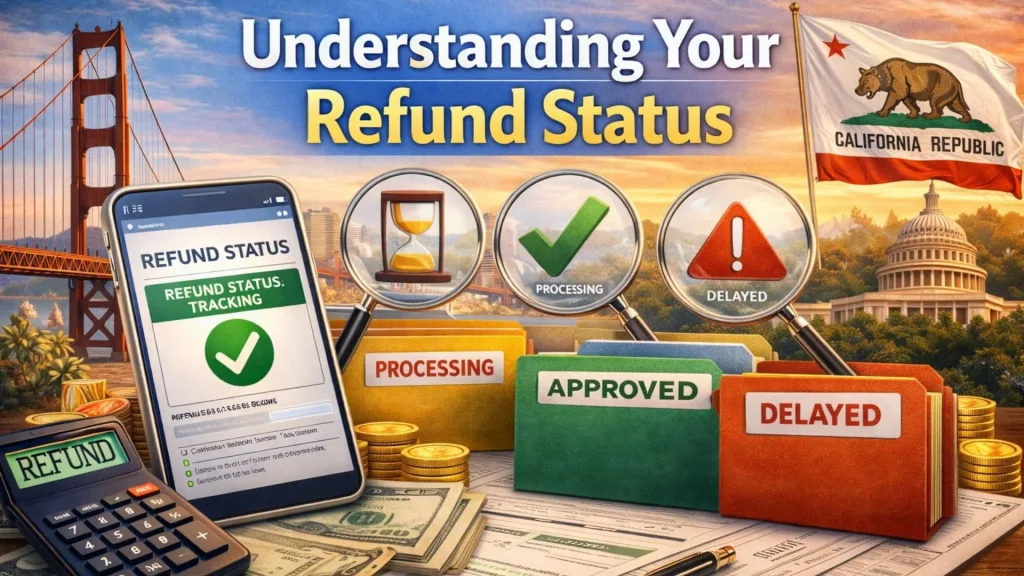
Once you are in, you will likely see one of three main stages. Knowing what they mean can save you a lot of anxiety.
- Received: The FTB has your return, but they haven’t started the deep dive yet. If you e-filed, you might see this within 24 hours. If you mailed it, it could take a few weeks to show up here.
- Processing: This is the “we are working on it” phase. Agents are reviewing your numbers to make sure everything adds up. This is the longest phase and can vary from a few days to a few weeks depending on complexity.
- Issued/Authorized: Victory! This means they have approved your refund and sent the payment. If you chose direct deposit, the money should be in your account within a few business days. If you chose a check, allow time for snail mail.
Timelines: When Will The Money Arrive?
Patience is a virtue, but knowing the timeline helps.
- E-filed Returns: Generally, these are processed much faster. You can typically expect your refund within 2 to 3 weeks.
- Paper Returns: If you filed by mail, get comfortable. These can take up to 3 to 4 months (or about 12 weeks) to process because they require manual data entry.
- Extra Review: Sometimes, a return gets pulled for a closer look (fraud prevention, accuracy checks). If this happens, you might receive a letter asking for more info, and the timeline will extend.
Troubleshooting: What If It’s Taking Too Long?
If the standard processing time has passed and you are still staring at a “Processing” screen, you have options.
- Chat: You can log in to your MyFTB account to chat with a representative on weekdays from 7 a.m. to 5 p.m.
- Phone: You can call the automated refund line at 1-800-338-0505. Be prepared for hold times, especially during peak season.
- Mail: As a last resort, you can write to the Franchise Tax Board (PO Box 942840, Sacramento, CA 942840-0040), but this is the slowest method.
Frequently Asked Questions
Q: Why is my California refund taking longer than my federal one?
A: California has its own fraud detection measures that can sometimes be more rigorous than the IRS, leading to slightly longer processing times for certain returns.
Q: Can I track a refund from previous years?
A: The online tool typically only shows the status for the current tax year. For older refunds, you will likely need to contact the FTB directly.
Q: What if the website says my refund was issued but I don’t have it?
A: Wait a few days for bank processing. If it still hasn’t arrived, double-check the bank account number you put on your return. If that’s correct, contact the FTB immediately to trace the payment.