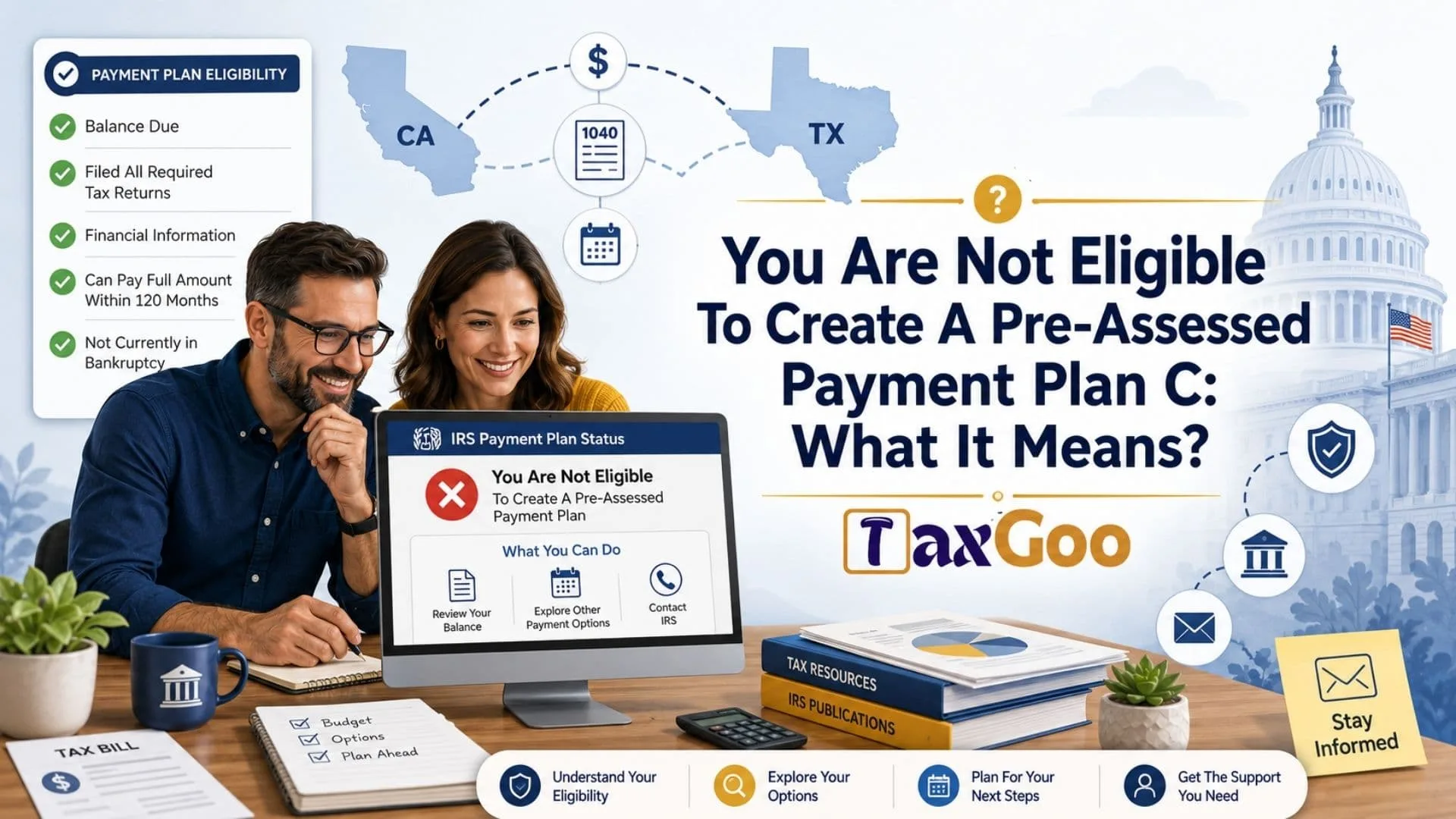
“You Are Not Eligible To Create A Pre-Assessed Payment Plan C” What It Means? If you saw this message while trying to set up an IRS payment plan, IRS Online Payment Agreement, installment agreement, tax payment arrangement, or pre-assessed payment plan before receiving a tax bill, it usually means the online system cannot approve that specific payment plan request right now. The phrase may show up when your tax return has not been fully processed, your balance due has not yet been assessed, your IRS account does not show the tax debt in the right way, you already have another payment plan issue, you have missing tax returns, your amount owed does not fit the online payment plan rules, or the IRS needs more information before allowing monthly payments. The “pre-assessed” part matters because it refers to a payment plan request made before the IRS has officially assessed the tax balance and issued a notice or bill. The “C” may be a system label, screen path, or internal category in the online tool rather than a public plan name. In simple terms, this message does not always mean you can never get an IRS payment plan. It often means you cannot create that exact pre-assessed payment plan through the online account at that moment, so you may need to wait for the return to process, pay what you can, check your balance, use another IRS payment option, submit Form 9465, or contact the IRS to discuss your account.
What Is A Pre-Assessed Payment Plan?
A pre-assessed payment plan is a payment arrangement someone tries to create before the IRS has fully posted and assessed the balance owed.
For example, you may file your tax return and already know you owe money. You may not have received an IRS notice yet, but you want to set up monthly payments early so you do not fall behind. That is where a pre-assessed agreement may come in.
The idea is simple. Instead of waiting for the bill to arrive, you enter the balance shown on your tax return and try to arrange a plan in advance. When it works, it can make tax season feel a little less stressful. When it does not work, the system may show a message like “you are not eligible to create a pre-assessed payment plan.”
That wording can sound scary. But it is usually a system eligibility issue, not a final judgment on your ability to pay over time.
Why The Message Appears
The IRS online system checks your account before it lets you create a payment plan. If something does not line up, it may block the request.
One common reason is timing. Your return may have been accepted electronically, but that does not always mean the IRS has finished processing it. Until the balance is posted properly, the online tool may not be able to connect your payment plan request to the right tax debt.
Another possible reason is that the IRS needs a formal assessed balance. Some people try to create a plan too soon after filing. The system may know that something is pending, but it may not be ready to offer all payment options.
There may also be account issues. If you have unfiled returns, an old defaulted installment agreement, a balance from another year, a bankruptcy issue, or a payment plan already in place, the system may stop the pre-assessed plan request.
The message can also appear when the amount owed does not fit the online plan category. The IRS has different rules for short-term and long-term payment plans. If your balance is too high for the online option, or if the monthly amount does not meet the requirement, the online tool may not let you continue.
Does This Mean The IRS Denied Your Payment Plan?
Not always.
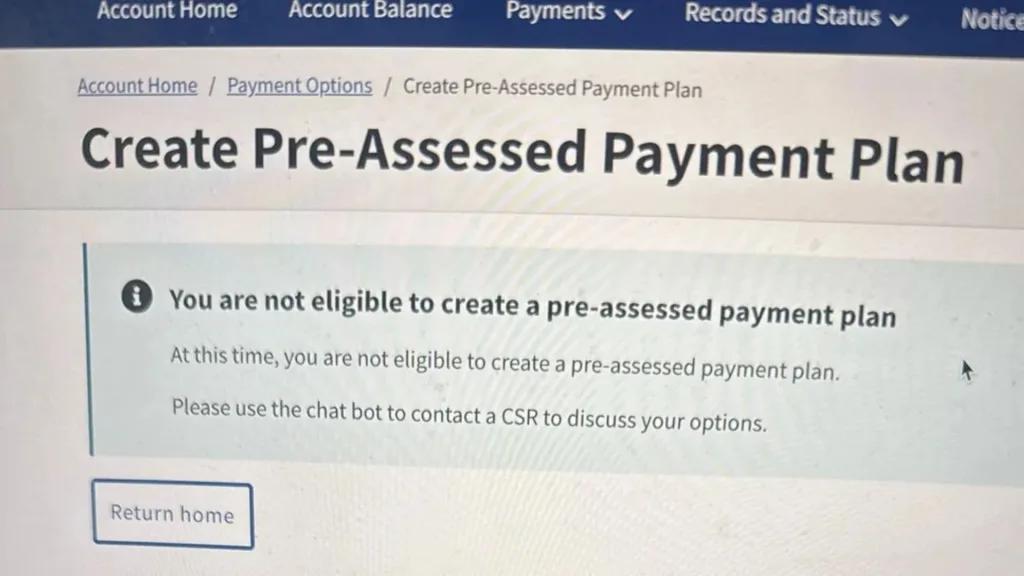
This is one of the most important things to understand. “Not eligible to create a pre-assessed payment plan” usually means the online tool cannot approve that request right now. It does not always mean the IRS has denied every possible payment arrangement.
Think of it like trying to check into a hotel before your room is ready. The front desk may not be saying you cannot stay. They may be saying the system is not ready to assign the room yet.
A payment plan may still be possible after your return is processed. You may also be able to apply another way, such as by calling the IRS or mailing Form 9465, Installment Agreement Request.
What The “C” Might Mean
The “C” in “pre-assessed payment plan C” is confusing because it is not commonly explained as a public payment plan name.
In many cases, it may simply be part of the way the online system labels a payment plan path, condition, category, or screen message. It may not mean there is a special “Plan C” that taxpayers are supposed to choose.
Because the IRS online account can display messages based on account status, processing stage, and eligibility checks, the letter may be more useful to the system than to the taxpayer.
So, do not get too stuck on the “C.” The key phrase is “not eligible to create a pre-assessed payment plan.” That is the part that tells you the online tool is blocking the request before the balance is fully assessed.
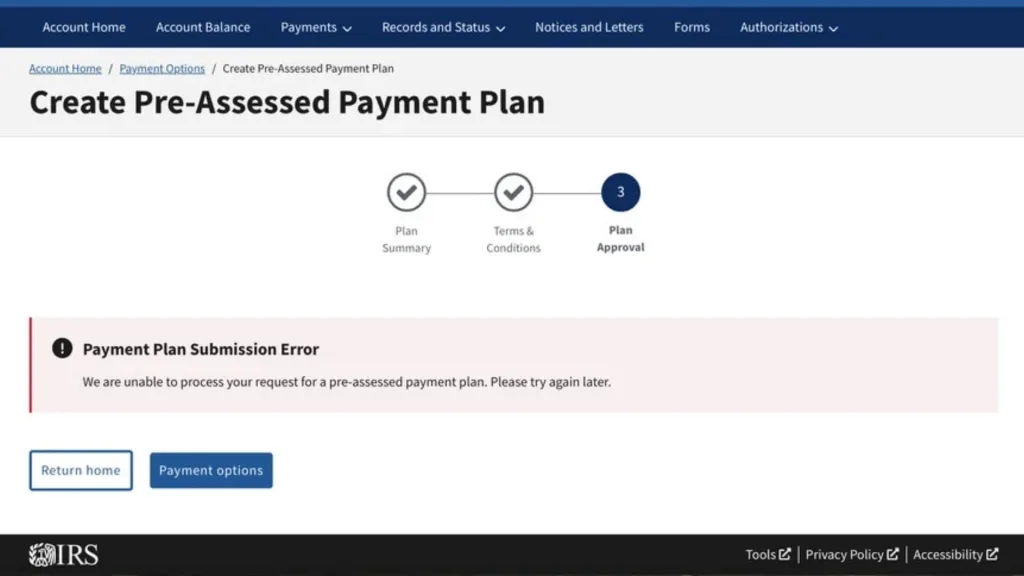
Common Reasons You May Not Be Eligible Right Now
Several things can trigger this message. The exact reason depends on your account, but these are the most common possibilities.
Your return may still be processing. Even if your tax software says the IRS accepted your return, the IRS may not have completed all account updates. The balance may not be ready for a payment plan request.
Your tax balance may not appear in your online account yet. If the IRS has not posted the amount due, the system may not have enough information to create the agreement.
You may have missing tax returns. The IRS generally wants taxpayers to be current with required filings before approving installment agreements.
You may already have an installment agreement. If you have an existing plan, a defaulted plan, or balances from prior years, you may need to revise or reinstate a plan instead of creating a new one.
Your amount owed may fall outside the online limits. Some balances require different steps, more information, or direct contact with the IRS.
You may be a business taxpayer. Business payment plans often have different rules, and the online system may direct business taxpayers to call.
Your account may need human review. Sometimes the online tool cannot handle the situation cleanly, even if a payment arrangement is still possible.
What You Should Do First
Start by checking whether your tax return has been processed and whether your balance appears in your IRS Online Account. If the balance is not visible yet, the issue may simply be timing.
If you recently filed, give the account time to update. Electronic returns usually move faster than paper returns, but processing is not always instant. Payments can also take time to show, especially if they were made by mail or through another method.
Next, confirm the balance due shown on your tax return. If you are trying to set up a pre-assessed agreement, the number you enter should match the amount you expect to owe. A mismatch may cause problems.
Also check whether you have filed all required tax returns. If one or more years are missing, the IRS may not approve a new plan until those returns are filed.
If you already have a payment plan, look for an option to revise, reinstate, or update the existing agreement instead of creating a brand-new one.
Should You Wait For An IRS Bill?
In some cases, yes.
If the system will not allow a pre-assessed payment plan, waiting for the IRS to process the return and issue a balance notice may make the online application easier. Once the balance is officially assessed, the payment plan request may fall into a more standard path.
That said, waiting does not mean doing nothing. If you know you owe tax, you can usually make a payment toward the balance even before a full plan is approved. Paying what you can may help reduce interest and penalties.
A partial payment does not create an installment agreement by itself. It simply lowers the unpaid balance. You still need an approved arrangement if you want formal monthly payment terms.
Can You Still Pay Something Now?
Yes, in most cases you can pay something toward your tax balance even if the pre-assessed payment plan tool does not work.
This can be a smart move if you are able to do it. The IRS generally adds interest and penalties until the balance is paid in full, so reducing the balance early can help limit extra costs.
You do not need to wait for a perfect payment plan before making a partial payment. If you can pay part of the amount safely without hurting essential expenses, it may help.
Just make sure the payment is applied to the correct tax year and tax form. A payment sent to the wrong period can create more confusion later.

Online Payment Plan Options
The IRS generally offers short-term and long-term payment plan options for eligible taxpayers.
A short-term payment plan is for people who can pay the full amount within a shorter time frame. This option may not have a setup fee, but penalties and interest can still continue until the balance is paid.
A long-term payment plan, also called an installment agreement, lets taxpayers pay monthly. This can be useful if the balance cannot be paid quickly. Long-term plans may include setup fees, and the fee may depend on whether payments are made by direct debit or another method.
For many individual taxpayers, the online payment agreement tool is the easiest path. But it only works when the account meets the online rules.
When Form 9465 May Help
If the online system says you are not eligible, Form 9465 may be the next option. This is the IRS form used to request an installment agreement.
Form 9465 can be helpful when the online tool does not allow you to apply, when your situation needs more review, or when you prefer to submit the request by mail.
In some cases, the IRS may also need financial information. That may happen when the proposed monthly payment is too low, the balance is higher, or the IRS needs to understand your ability to pay.
Mailing forms can take longer than using the online tool, but it can still be a valid route when the digital door will not open.
When You Should Contact The IRS
Contacting the IRS may be useful if you cannot tell why the online system blocked your request.
You may want to call if your balance has posted but the system still says you are not eligible. You may also need to call if you have multiple tax years involved, an old defaulted agreement, a notice from collections, business tax debt, or a financial hardship situation.
Before calling, gather your tax return, balance due amount, notices, payment history, and any details about existing agreements. The more organized you are, the smoother the call may be.
Be ready for wait times. Tax issues rarely move at lightning speed, but having your information ready can save you from repeating the same steps later.
What Not To Do
Do not ignore the balance just because the online tool blocked your payment plan request.
The message is not a free pass, and it does not pause interest or penalties by itself. If you owe tax, the balance can continue to grow until it is paid.
Do not assume the IRS will automatically create a plan for you. A payment plan usually requires a request and approval.
Do not keep entering random numbers into the system. If the balance amount is wrong, the tool may reject the request or create confusion.
Do not miss filing future returns. Staying current with tax filing is one of the most important parts of keeping or getting a payment arrangement.

How To Reduce Stress While You Sort It Out
Tax messages are not exactly known for their warm and fuzzy personality. Still, this one is manageable if you break it into smaller steps.
First, confirm whether your return has processed. Second, check whether the balance appears in your online account. Third, pay what you reasonably can if you are able. Fourth, try again after the account updates. Fifth, use Form 9465 or call the IRS if the online route remains blocked.
That simple order can keep you from spiraling. You are not trying to solve the whole tax universe in one sitting. You are just trying to move from confusion to a workable payment path.
Final Thoughts
“You are not eligible to create a pre-assessed payment plan C” sounds like a hard stop, but it often means the IRS online system cannot create that specific early payment plan right now.
The most likely reasons involve timing, account status, missing filings, balance limits, existing agreements, or the need for IRS review. Once your return is processed and the balance is officially posted, you may have more options.
If you can pay part of the balance, that may help reduce extra charges. If the online tool still does not work, Form 9465 or a call to the IRS may be the next step.
The main takeaway is simple. The message is frustrating, but it is not always the end of the road. It is usually a sign to check your account, confirm your balance, and choose the next payment route carefully.
FAQs
What Does Pre-Assessed Payment Plan Mean?
It usually means a payment plan request made before the IRS has fully assessed your tax balance or sent a bill.
Does This Message Mean I Cannot Get A Payment Plan?
Not always. It may only mean the online system cannot approve that specific request right now.
Should I Wait Until My Return Is Processed?
Often, yes. If your balance has not posted yet, waiting for the IRS account to update may help.
Can I Pay Part Of My Tax Balance Now?
Usually, yes. Paying what you can may reduce interest and penalties, but it does not replace an approved payment plan.
What Form Can I Use If The Online Tool Does Not Work?
Form 9465 is commonly used to request an IRS installment agreement when the online option is not available.
Why Is The Letter C In The Message?
The “C” may be a system label or internal category. It is not usually the most important part of the message.