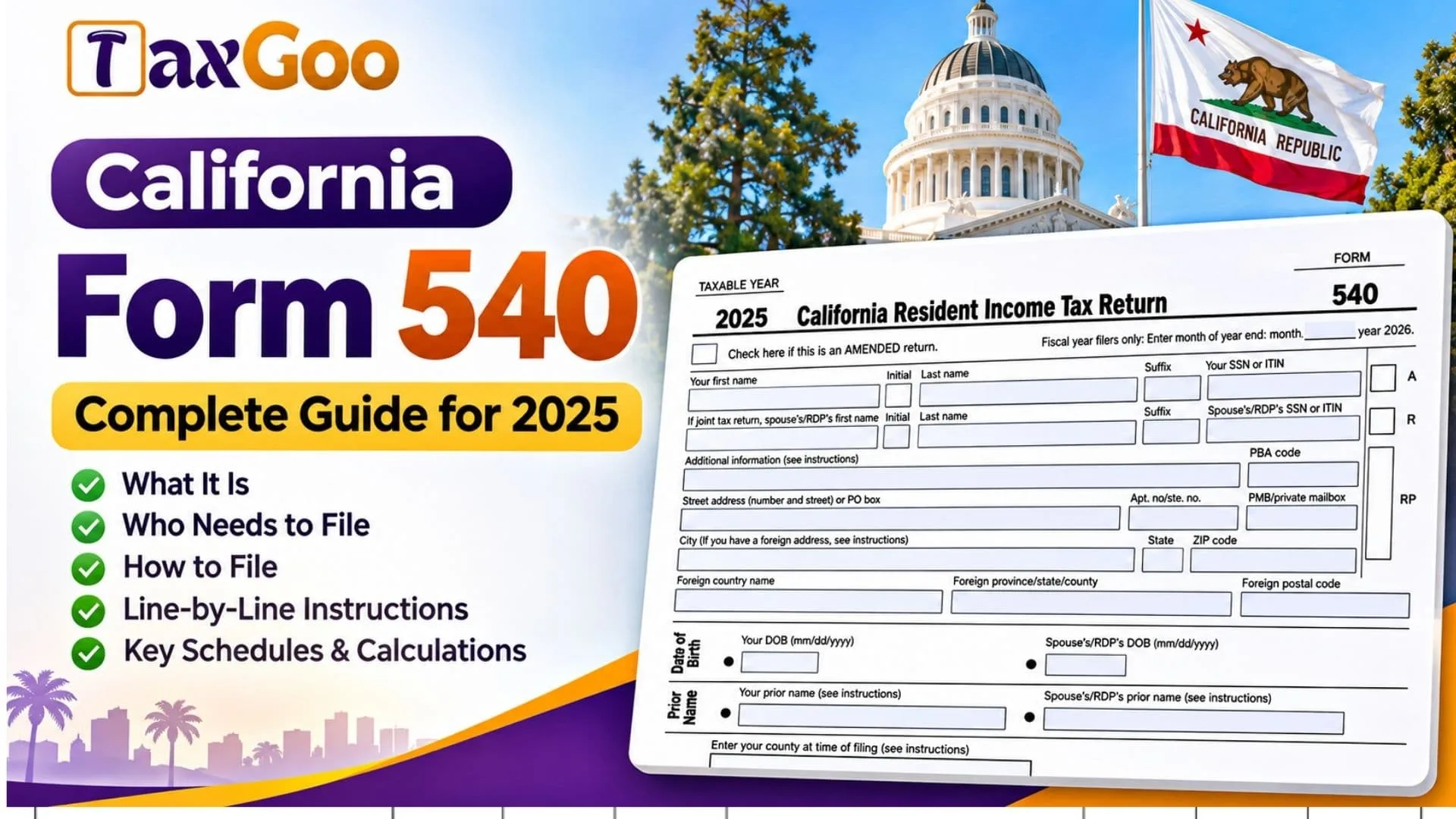
California Form 540 is the California Resident Income Tax Return used by individuals who qualify as California residents and need to report their state income taxes for the 2025 tax year. The form is administered by the California Franchise Tax Board (FTB) and helps taxpayers calculate their California taxable income, determine how much state income tax they owe, claim available exemptions and tax credits, and request a refund when they have paid more tax than required. Form 540 begins with personal information, including the taxpayer’s name, Social Security number or Individual Taxpayer Identification Number, mailing address, filing status, and dependent information. It then uses figures from the taxpayer’s federal income tax return and California-specific adjustments to calculate taxable income. Additional sections cover personal exemptions, itemized or standard deductions, special tax credits, alternative minimum tax, withholding, estimated tax payments, California use tax, health insurance coverage penalties, voluntary contributions, and direct deposit instructions. Married taxpayers and registered domestic partners may also need to provide information about their spouse or partner. Completing the form correctly is essential because inaccurate income figures, incorrect filing status selections, missing supporting schedules, or errors in tax calculations can result in an incorrect tax balance, delayed refund, or additional review by the Franchise Tax Board.
Who Needs to File California Form 540?
California Form 540 is generally used by full-year California residents who are required to file a state individual income tax return.
You may need to file this form if you:
- Lived in California throughout the 2025 tax year and meet the state’s filing requirements.
- Earned wages, business income, retirement income, investment income, or other reportable income.
- Need to make California adjustments to income reported on your federal return.
- Want to claim eligible California tax credits or a refund of excess withholding.
- Are married or in a registered domestic partnership and need to file a joint or separate California return.
- Have California use tax or other state tax obligations to report.
Not every California resident must file. Filing requirements depend on income, filing status, age, and other circumstances.
Taxpayers who were California nonresidents or part-year residents generally use Form 540NR instead of the resident return.
How to File California Form 540
California Form 540 is filed with the California Franchise Tax Board. You can generally submit the return electronically through an eligible tax preparation service or mail a completed paper return.
For calendar-year taxpayers, the regular filing deadline for the 2025 tax year was April 15, 2026. California generally provides an automatic extension of time to file, but an extension does not extend the deadline for paying tax owed. Special relief may apply in qualifying circumstances.
Documents Needed Before Filing
Gather the following records before preparing your return:
- Your Social Security number (SSN) or Individual Taxpayer Identification Number (ITIN).
- Your spouse’s or registered domestic partner’s identification information, if applicable.
- Your completed 2025 federal Form 1040 or Form 1040-SR.
- Forms W-2 showing wages and state income tax withholding.
- Forms 1099 and other relevant income statements.
- Schedule CA (540) for applicable California income adjustments and itemized deductions.
- Dependent information, including names, identification numbers, and relationships.
- Records supporting California tax credit claims.
- Estimated tax payment records.
- Forms 592-B or 593, if applicable.
- Health insurance coverage information.
- Records of purchases that may be subject to California use tax.
- Bank account information for direct deposit.
Where to Submit California Form 540
If you are mailing a paper return with an amount owed, the form provides this address:
Franchise Tax Board
PO Box 942867
Sacramento, CA 94267-0001
For a refund or no-amount-due paper return, use:
Franchise Tax Board
PO Box 942840
Sacramento, CA 94240-0001
Special filing circumstances may require different mailing instructions.
If you owe California income tax, you can also make an electronic payment through the FTB’s payment system.
Filing California Form 540 With Supporting Schedules
Complete your federal income tax return before preparing Form 540 because several California entries come directly from federal tax calculations.
Depending on your circumstances, you may need to attach Schedule CA (540), Schedule P (540), or other California tax forms.
You may also be required to attach a complete copy of your federal tax return. Determine whether this requirement applies before submitting your California return.
How to Complete California Form 540
The following instructions cover the identification fields, filing status selections, exemption calculations, tax lines, payment entries, contributions, refund information, and signature requirements.
The form uses numbered lines that are not consecutive. For example, it moves from line 19 to line 31 and from line 48 to line 61. These gaps are part of the form’s numbering system, not missing fields.
Tax Year and Return Type
Taxable Year: 2025
This return reports income and tax information for the 2025 tax year.
Amended Return Checkbox
Check this box if you are correcting a California Form 540 that was previously filed for the same tax year.
Fiscal Year-End Month
If you file using a fiscal year rather than the calendar year, enter the month your tax year ends.
Fiscal Year-End Year
The form identifies 2026 as the ending year for the applicable fiscal-year filing period.
Taxpayer Identification
Your First Name
Enter your legal first name.
Your Middle Initial
Provide your middle initial if applicable.
Your Last Name
Enter your legal surname.
Suffix
Include any applicable name suffix, such as Jr., Sr., or III.
Your SSN or ITIN
Enter your nine-digit Social Security number or Individual Taxpayer Identification Number.
Spouse’s or RDP’s First Name
If filing a joint return or otherwise required, enter your spouse’s or registered domestic partner’s first name.
Spouse’s or RDP’s Middle Initial
Enter their middle initial, if applicable.
Spouse’s or RDP’s Last Name
Provide their legal surname.
Spouse’s or RDP’s Suffix
Enter any applicable suffix.
Spouse’s or RDP’s SSN or ITIN
Provide their correct tax identification number.
Additional Information
Use this field for additional identifying information required by the applicable instructions.
PBA Code
Enter the principal business activity code when required. This code identifies the type of business activity associated with the taxpayer.
Fields Marked A, R, and RP
The form includes small boxes marked A and R and a separate field marked RP. These are not standard income entry fields. Do not enter an arbitrary value; complete them only when applicable instructions require it.
Mailing Address
Street Address or PO Box
Enter your mailing street address or post office box.
Apartment or Suite Number
Provide the apartment, unit, or suite number if applicable.
Private Mailbox Number
Enter the PMB number if your mailing address uses a private mailbox service.
City
Enter your mailing city.
State
Provide the appropriate state abbreviation.
ZIP Code
Enter your postal ZIP code.
Foreign Country Name
If your mailing address is outside the United States, enter the country.
Foreign Province, State, or County
Provide the applicable foreign regional information.
Foreign Postal Code
Enter the postal code associated with your foreign address.
Date of Birth and Prior Name
Your Date of Birth
Enter your birth date in MM/DD/YYYY format.
Spouse’s or RDP’s Date of Birth
Enter your spouse’s or registered domestic partner’s birth date in the same format when applicable.
Your Prior Name
Enter your previous name when required because of a name change.
Spouse’s or RDP’s Prior Name
Provide their previous name if applicable.
Principal Residence
County at Time of Filing
Enter the county associated with your principal residence when you file.
Same Address Checkbox
Check this box if your mailing address is also your principal or physical residence address at the time of filing.
If the addresses are different, complete the additional residence fields.
Principal Residence Street Address
Enter the physical street address where you principally reside.
Apartment or Suite Number
Provide the unit number, if applicable.
Principal Residence City
Enter the city.
Principal Residence State
Enter the state.
Principal Residence ZIP Code
Enter the ZIP code.
Filing Status
Choose the California filing status that applies to your circumstances.
California Filing Status Different From Federal Filing Status
Check this box if your California filing status differs from the filing status reported on your federal return.
Box 1: Single
Select this box if you qualify to file as a single taxpayer.
Box 2: Married/RDP Filing Jointly
Select this status when filing a combined return with your spouse or registered domestic partner. It may apply even if only one spouse or partner earned income.
Box 3: Married/RDP Filing Separately
Select this box if you and your spouse or registered domestic partner are filing separate California returns.
Enter the spouse’s or RDP’s SSN or ITIN in the identification section and provide their full name in the designated space.
Box 4: Head of Household
Select this status if you satisfy California’s head-of-household requirements, including the qualifying person rules.
Box 5: Qualifying Surviving Spouse/RDP
Check this box if you qualify for the surviving spouse or registered domestic partner filing status.
Enter the year your spouse or RDP died.
Line 6: Dependent Status Checkbox
Check this box if another taxpayer can claim you or your spouse/RDP as a dependent.
This selection can affect the personal exemption credit and standard deduction. Apply the special instructions before completing those amounts.
Exemptions
Lines 7 through 10 calculate exemption credits by multiplying the number of qualifying exemptions by the amount printed on the form.
Line 7: Personal Exemption
Enter 1 if you selected filing status 1, 3, or 4.
Enter 2 if you selected filing status 2 or 5.
Multiply the number by $153.
For example:
2 × $153 = $306
If you checked line 6, review the special rules before claiming the personal exemption.
Line 8: Blindness Exemption
Enter 1 if you or your spouse/RDP qualifies for the blindness exemption.
Enter 2 if both qualify.
Multiply the count by $153.
For example:
1 × $153 = $153
Line 9: Senior Exemption
Enter 1 if you or your spouse/RDP qualifies because the person is age 65 or older.
Enter 2 if both qualify.
Multiply the count by $153.
For example:
2 × $153 = $306
Dependent Exemptions
Line 10: Dependent Information
List qualifying dependents, excluding yourself and your spouse/RDP.
The form provides spaces for three dependents.
Dependent 1: First Name
Enter the first dependent’s legal first name.
Dependent 1: Last Name
Enter the dependent’s surname.
Dependent 1: SSN
Provide the dependent’s Social Security number as required.
Dependent 1: Relationship to You
Enter the dependent’s relationship to you.
Dependent 2: First Name
Enter the second dependent’s first name, if applicable.
Dependent 2: Last Name
Enter their surname.
Dependent 2: SSN
Provide their Social Security number.
Dependent 2: Relationship to You
Describe their relationship to you.
Dependent 3: First Name
Enter the third dependent’s first name, if applicable.
Dependent 3: Last Name
Enter their surname.
Dependent 3: SSN
Provide their Social Security number.
Dependent 3: Relationship to You
Describe their relationship to you.
Line 10: Total Dependent Exemption Credit
Count the qualifying dependent exemptions and multiply the number by $475.
For example:
3 × $475 = $1,425
If you have more dependents than the available spaces, follow the additional dependent reporting instructions.
Line 11: Total Exemption Amount
Add the amounts from lines 7, 8, 9, and 10.
Formula:
Line 11 = Line 7 + Line 8 + Line 9 + Line 10
Enter the total on line 11.
This amount is carried to line 32, subject to any applicable reduction.
Taxable Income
This section adjusts federal income to calculate California taxable income.
Line 12: State Wages
Enter the California state wages reported in box 16 of your federal Form W-2.
If you have multiple W-2 forms, use the applicable state wage amounts.
Line 13: Federal Adjusted Gross Income
Enter the federal adjusted gross income from line 11b of your 2025 Form 1040 or Form 1040-SR.
Line 14: California Adjustments — Subtractions
Transfer the amount from Schedule CA (540), Part I, line 27, column B.
This entry accounts for applicable California income subtractions.
Line 15: Income After Subtractions
Subtract line 14 from line 13.
Formula:
Line 15 = Line 13 − Line 14
If the result is negative, enter it in parentheses.
Line 16: California Adjustments — Additions
Enter the amount from Schedule CA (540), Part I, line 27, column C.
Line 17: California Adjusted Gross Income
Combine lines 15 and 16.
Formula:
Line 17 = Line 15 + Line 16
Line 18: California Standard or Itemized Deduction
Determine the larger eligible amount between your California itemized deductions and the standard deduction for your filing status.
The 2025 standard deduction amounts are:
| Filing Status | Standard Deduction |
|---|---|
| Single | $5,706 |
| Married/RDP filing separately | $5,706 |
| Married/RDP filing jointly | $11,412 |
| Head of household | $11,412 |
| Qualifying surviving spouse/RDP | $11,412 |
If you itemize, use Schedule CA (540), Part II, line 30.
If you are married/RDP filing separately or checked line 6, stop and review the special deduction instructions before entering an amount.
Line 19: California Taxable Income
Subtract line 18 from line 17.
Formula:
Line 19 = Line 17 − Line 18
If the result is negative, enter zero.
California Income Tax
Line 31: Tax
Calculate California income tax using the appropriate method and enter the result.
The form provides four source checkboxes.
Tax Table Checkbox
Select this box when your tax comes from the California Tax Table.
Tax Rate Schedule Checkbox
Select this box when your tax comes from the California Tax Rate Schedule.
FTB 3800 Checkbox
Check this box when the amount is determined using FTB 3800.
FTB 3803 Checkbox
Check this box when the amount comes from FTB 3803.
Line 32: Exemption Credits
Enter the allowable exemption credit amount based on line 11.
If your federal adjusted gross income exceeds $252,203, apply the relevant exemption credit limitation rules before entering the final amount.
Line 33: Tax After Exemption Credits
Subtract line 32 from line 31.
Formula:
Line 33 = Line 31 − Line 32
If the result is negative, enter zero.
Line 34: Additional Tax
Enter any applicable tax calculated using the special forms or schedules identified for this line.
Schedule G-1 Checkbox
Check this box if the tax is determined using Schedule G-1.
FTB 5870A Checkbox
Check this box if the tax is calculated using FTB 5870A.
Line 35: Total Tax Before Special Credits
Add lines 33 and 34.
Formula:
Line 35 = Line 33 + Line 34
Special Credits
These lines report certain nonrefundable California tax credits.
Line 40: Nonrefundable Child and Dependent Care Expenses Credit
Enter the allowable California credit for qualifying child and dependent care expenses.
Calculate the amount using the applicable eligibility and credit rules.
Line 43: Additional Special Credit
Enter the first applicable additional special credit.
Complete all three fields:
- Credit name.
- Credit code.
- Allowable credit amount.
Line 44: Second Additional Special Credit
Enter another qualifying special credit, including its name, code, and amount.
Line 45: Credits From Schedule P (540)
If you are claiming more than two special credits requiring additional reporting, follow the applicable instructions and attach Schedule P (540).
Enter the amount that belongs on line 45.
Line 46: Nonrefundable Renter’s Credit
Enter the California renter’s credit if you qualify.
Eligibility depends on the applicable requirements, including income and qualifying residence rules.
Line 47: Total Special Credits
Add the applicable credits reported on lines 40 through 46.
Formula:
Line 47 = Total of applicable amounts on lines 40–46
Line 48: Tax After Special Credits
Subtract line 47 from line 35.
Formula:
Line 48 = Line 35 − Line 47
If the result is negative, enter zero.
Other Taxes
Line 61: Alternative Minimum Tax
Enter any applicable California alternative minimum tax.
Complete and attach Schedule P (540) when required.
Line 62: Behavioral Health Services Tax
Enter the applicable Behavioral Health Services Tax.
This tax generally applies to California taxable income above $1 million, with the additional tax calculated under the relevant rules.
Line 63: Other Taxes and Credit Recapture
Enter other applicable taxes or amounts that must be repaid under California credit recapture provisions.
Line 64: Total California Tax
Add line 48, line 61, line 62, and line 63.
Formula:
Line 64 = Line 48 + Line 61 + Line 62 + Line 63
Payments and Refundable Credits
Line 71: California Income Tax Withheld
Enter California income tax withholding from applicable wage and withholding statements.
Line 72: California Estimated Tax and Other Payments
Enter eligible 2025 California estimated tax payments and other payments applicable to this line.
Use your payment records to confirm the total.
Line 73: Withholding From Forms 592-B and 593
Enter applicable California withholding reported on Form 592-B, Form 593, or both.
Line 74: Refundable Program 4.0 California Motion Picture and Television Production Credit
Enter the refundable credit amount if you qualify for this program.
Use the appropriate credit documentation to determine the amount.
Line 75: Earned Income Tax Credit
Enter the allowable California Earned Income Tax Credit, commonly known as CalEITC.
Line 76: Young Child Tax Credit
Enter the allowable Young Child Tax Credit if you meet the eligibility requirements.
Line 77: Foster Youth Tax Credit
Enter the allowable Foster Youth Tax Credit if you qualify.
Line 78: Total Payments
Add lines 71 through 77.
Formula:
Line 78 = Line 71 + Line 72 + Line 73 + Line 74 + Line 75 + Line 76 + Line 77
California Use Tax
Line 91: Use Tax
Enter California use tax owed on applicable purchases for which the appropriate tax was not collected.
Do not leave this line blank.
If no use tax is owed, enter zero and select the appropriate checkbox.
No Use Tax Owed Checkbox
Check this box if you have no California use tax liability.
Use Tax Paid Directly to CDTFA Checkbox
Check this box if you already paid the applicable use tax directly to the California Department of Tax and Fee Administration.
Individual Shared Responsibility Penalty
Line 92: Full-Year Health Care Coverage Checkbox
Check this box if you and your household had qualifying health care coverage throughout 2025.
Medicare Part A and Medicare Part C are identified as qualifying coverage.
If you cannot check the box, determine whether an exemption applies or a penalty must be calculated.
Line 92: Individual Shared Responsibility Penalty
Enter the applicable penalty amount if you are required to pay one.
A lack of full-year coverage does not automatically mean a penalty is owed, because exemptions may apply.
Overpaid Tax and Tax Due
Line 93: Payments Balance
If line 78 exceeds line 91, subtract line 91 from line 78.
Formula:
Line 93 = Line 78 − Line 91
Line 94: Use Tax Balance
If line 91 exceeds line 78, subtract line 78 from line 91.
Formula:
Line 94 = Line 91 − Line 78
Line 95: Payments After Individual Shared Responsibility Penalty
If line 93 exceeds line 92, subtract line 92 from line 93.
Formula:
Line 95 = Line 93 − Line 92
Line 96: Individual Shared Responsibility Penalty Balance
If line 92 exceeds line 93, subtract line 93 from line 92.
Formula:
Line 96 = Line 92 − Line 93
Line 97: Overpaid Tax
If line 95 exceeds line 64, subtract line 64 from line 95.
Formula:
Line 97 = Line 95 − Line 64
Line 98: Overpayment Applied to 2026 Estimated Tax
Enter the portion of line 97 that you want applied to your 2026 California estimated income tax.
Do not enter more than the available overpayment.
Line 99: Overpaid Tax Available This Year
Subtract line 98 from line 97.
Formula:
Line 99 = Line 97 − Line 98
Line 100: Tax Due
If line 95 is less than line 64, subtract line 95 from line 64.
Formula:
Line 100 = Line 64 − Line 95
Voluntary Contributions
California Form 540 provides several voluntary contribution options.
Each option has a contribution code and a space for the amount you choose to give.
Code 400: California Seniors Special Fund
Enter your chosen contribution to this fund.
Code 401: Alzheimer’s Disease and Related Dementia Voluntary Tax Contribution Fund
Enter the amount you want to contribute.
Code 403: Rare and Endangered Species Preservation Voluntary Tax Contribution Program
Enter your selected contribution toward rare and endangered species preservation.
Code 405: California Breast Cancer Research Voluntary Tax Contribution Fund
Enter your voluntary contribution toward breast cancer research.
Code 406: California Firefighters’ Memorial Voluntary Tax Contribution Fund
Enter your contribution to the firefighters’ memorial fund.
Code 407: Emergency Food for Families Voluntary Tax Contribution Fund
Enter the amount you wish to contribute toward emergency food assistance.
Code 408: California Peace Officer Memorial Foundation Voluntary Tax Contribution Fund
Enter your selected contribution.
Code 413: California Cancer Research Voluntary Tax Contribution Fund
Enter your contribution toward cancer research.
Code 422: School Supplies for Homeless Children Voluntary Tax Contribution Fund
Enter the amount you want to contribute toward school supplies for homeless children.
Code 423: State Parks Protection Fund/Parks Pass Purchase
Enter the applicable amount for your selected state parks contribution or parks pass purchase.
Code 424: Protect Our Coast and Oceans Voluntary Tax Contribution Fund
Enter your chosen contribution toward coastal and ocean protection.
Code 431: Prevention of Animal Homelessness and Cruelty Voluntary Tax Contribution Fund
Enter your selected contribution toward animal welfare.
Code 438: California Senior Citizen Advocacy Voluntary Tax Contribution Fund
Enter the amount you wish to contribute.
Code 439: Native California Wildlife Rehabilitation Voluntary Tax Contribution Fund
Enter your contribution toward native wildlife rehabilitation.
Code 445: Mental Health Crisis Prevention Voluntary Tax Contribution Fund
Enter the amount you want to contribute.
Code 447: California ALS Research Network Voluntary Tax Contribution Fund
Enter your chosen contribution toward ALS research.
Code 448: California Pediatric Cancer Research Voluntary Tax Contribution Fund
Enter your selected contribution toward pediatric cancer research.
Code 449: Parkinson’s Disease Research Voluntary Tax Contribution Fund
Enter your contribution toward Parkinson’s disease research.
Line 110: Total Contributions
Add the amounts entered for all selected contribution codes.
Formula:
Line 110 = Total of contributions for codes 400 through 449
If you do not make any voluntary contributions, the total is zero.
Amount You Owe
Line 111: Amount You Owe
If you do not have an amount on line 99, add line 94, line 96, line 100, and line 110.
Formula:
Line 111 = Line 94 + Line 96 + Line 100 + Line 110
This is the amount owed before any applicable interest or penalties.
Do not send cash.
Interest and Penalties
Line 112: Interest and Late Filing or Payment Penalties
Enter any applicable interest, late return penalties, or late payment penalties.
Use the appropriate California calculations to determine the amount.
Line 113: Underpayment of Estimated Tax
Enter the applicable estimated tax underpayment penalty.
FTB 5805 Attached Checkbox
Check this box if you are attaching FTB 5805.
FTB 5805F Attached Checkbox
Check this box if you are attaching FTB 5805F.
Line 114: Total Amount Due
Determine the total payment due, including the amount owed and applicable penalties.
Generally, when line 111 contains the amount owed:
Line 114 = Line 111 + Line 112 + Line 113
If mailing a payment, enclose it without stapling it to the return.
Refund and Direct Deposit
Line 115: Refund or No Amount Due
Subtract the total of line 110, line 112, and line 113 from line 99.
Formula:
Line 115 = Line 99 − (Line 110 + Line 112 + Line 113)
Follow the applicable instructions when this calculation does not produce a refundable balance.
First Direct Deposit Account
First Account Routing Number
Enter the routing number for the bank account receiving your refund.
Checking Account Checkbox
Select this box if the account is a checking account.
Savings Account Checkbox
Select this box if the account is a savings account.
First Account Number
Enter the complete account number.
Line 116: Direct Deposit Amount
Enter the amount of your refund that you authorize for deposit into the first account.
You may enter the full refund if you want to use only one account.
Second Direct Deposit Account
Second Account Routing Number
Enter the routing number for the second bank account if splitting your refund.
Checking Account Checkbox
Select this box if the second account is a checking account.
Savings Account Checkbox
Select this box if the second account is a savings account.
Second Account Number
Enter the complete account number.
Line 117: Direct Deposit Amount
Enter the remaining refund amount authorized for deposit into the second account.
If using both accounts, the combined amounts on lines 116 and 117 should equal the total refund authorized for direct deposit.
Use whole-dollar amounts and verify all bank details carefully.
Do not attach a voided check or deposit slip.
Voter Registration Information
Voter Registration Information Checkbox
Check this box if you want information about voter registration.
The form directs taxpayers to the California Secretary of State’s election information.
This selection does not change the tax calculation.
Health Care Coverage Information
Question: Do You Want Information About No-Cost or Low-Cost Health Care Coverage?
Choose Yes or No.
Yes Checkbox
Select Yes if you want information about available no-cost or low-cost health care coverage.
By choosing Yes, you authorize the Franchise Tax Board to share limited information from your return with Covered California.
No Checkbox
Select No if you do not want to authorize this information-sharing request.
This question is separate from the health coverage and penalty calculation on line 92.
Organ and Tissue Donor Election
This section allows taxpayers to provide written consent for enrollment in the Donate Life California Organ and Tissue Donor Registry.
Primary Taxpayer Checkbox
Check this box if the primary taxpayer wants to authorize enrollment in the registry and the associated limited information sharing.
If you are already registered and your information has changed, checking the box can provide updated information.
Spouse/RDP Checkbox
For a joint return, check this box if the spouse or registered domestic partner wants to authorize the corresponding enrollment and information sharing.
No Checkbox Selected
If you do not check the applicable box, this tax return will not authorize enrollment in the registry.
If you are already registered and want to remove your name, you must contact Donate Life California directly. Leaving the box unchecked does not itself remove an existing registration.
Signature and Declaration
The final section requires the taxpayer to confirm the accuracy of the return and provide the appropriate signatures.
By signing, the taxpayer declares under penalties of perjury that the return and accompanying schedules and statements have been examined and are true, correct, and complete to the best of their knowledge and belief.
Taxpayer and Spouse/RDP Signatures
Your Signature
Sign the return in the designated taxpayer signature field.
Date
Enter the date you sign the return.
Spouse’s or RDP’s Signature
If filing a joint return, the spouse or registered domestic partner must also sign.
Do not sign on another person’s behalf unless legally authorized. The form specifically warns against forging a spouse’s or RDP’s signature.
Your Email Address
Enter one email address in the designated field.
Preferred Phone Number
Provide a telephone number where you can be contacted.
Paid Tax Preparer Information
If a paid tax professional prepared the return, complete the applicable preparer fields.
Paid Preparer’s Printed Name
Enter the preparer’s full name.
Paid Preparer’s Phone Number
Provide the preparer’s contact telephone number.
Paid Preparer’s Signature
The paid preparer signs the return to make the required preparer declaration.
Firm’s Name
Enter the tax preparation firm’s name.
If the preparer is self-employed, enter the appropriate individual or business name.
Preparer Tax Identification Number (PTIN)
Enter the paid preparer’s PTIN.
Firm’s Address
Provide the firm’s mailing address.
Firm’s Federal Employer Identification Number (FEIN)
Enter the firm’s FEIN when applicable.
Third-Party Designee Authorization
Question: Do You Want to Allow Another Person to Discuss This Return With the FTB?
Choose Yes or No.
Yes Checkbox
Select Yes if you want to authorize another person to discuss the return with the Franchise Tax Board within the permitted scope of this authorization.
No Checkbox
Select No if you do not want to provide this authorization.
Third-Party Designee’s Printed Name
If you select Yes, enter the full name of the authorized person.
Third-Party Designee’s Telephone Number
Provide that person’s contact telephone number.
Important Filing Notes
Federal Return Attachment
Before submitting Form 540, determine whether you must attach a complete copy of your federal tax return.
This requirement depends on the applicable California filing instructions and your tax circumstances.
Privacy Information
The Franchise Tax Board provides a privacy notice explaining how taxpayer information is collected and handled.
Taxpayers may review the privacy information or request the relevant privacy notice from the FTB.
Reporting Dollar Amounts
The form identifies whole-dollar reporting for its tax calculations.
When transferring figures from supporting documents, use the applicable rounding rules consistently.
Completing Conditional Lines
Not every taxpayer will need an amount on every line.
Some lines apply only when a specific condition is met, such as having additional taxes, claiming particular credits, owing use tax, or requesting direct deposit.
Follow each line’s condition instead of entering unsupported amounts.
California Form 540 Calculation Summary
The following table shows the main calculations used throughout the return.
| Line | Calculation |
|---|---|
| 7 | Personal exemption count × $153 |
| 8 | Blindness exemption count × $153 |
| 9 | Senior exemption count × $153 |
| 10 | Dependent exemption count × $475 |
| 11 | Lines 7 + 8 + 9 + 10 |
| 15 | Line 13 − Line 14 |
| 17 | Line 15 + Line 16 |
| 19 | Line 17 − Line 18; minimum zero |
| 33 | Line 31 − Line 32; minimum zero |
| 35 | Line 33 + Line 34 |
| 47 | Total applicable credits, lines 40–46 |
| 48 | Line 35 − Line 47; minimum zero |
| 64 | Lines 48 + 61 + 62 + 63 |
| 78 | Total of lines 71–77 |
| 93 | Line 78 − Line 91, if positive |
| 94 | Line 91 − Line 78, if positive |
| 95 | Line 93 − Line 92, if positive |
| 96 | Line 92 − Line 93, if positive |
| 97 | Line 95 − Line 64, if positive |
| 99 | Line 97 − Line 98 |
| 100 | Line 64 − Line 95, if positive |
| 110 | Total voluntary contributions |
| 111 | Lines 94 + 96 + 100 + 110, when applicable |
| 114 | Total amount due, including applicable charges |
| 115 | Line 99 − (Lines 110 + 112 + 113) |
Use the individual line instructions when a calculation is conditional or requires special treatment.
Final Review Before Filing
Before submitting your 2025 California Form 540, review the following checklist.
- Confirm that Form 540 is the correct California return for your residency status.
- Verify the tax year and amended-return selection.
- Check all taxpayer and spouse/RDP names, SSNs, or ITINs.
- Confirm your mailing address and principal residence information.
- Select the correct California filing status.
- Verify dependent information and exemption eligibility.
- Recalculate personal, blindness, senior, and dependent exemption credits.
- Confirm that line 13 matches your federal adjusted gross income.
- Check California additions and subtractions from Schedule CA (540).
- Verify the standard or itemized deduction on line 18.
- Confirm taxable income and the correct tax calculation method.
- Review exemption credit limitations and special credit eligibility.
- Check all additional tax amounts and required schedules.
- Verify withholding, estimated payments, and refundable credits.
- Complete the use tax section, including the zero-use-tax selection when applicable.
- Confirm health care coverage information and any applicable penalty.
- Recalculate the overpayment or amount owed.
- Review voluntary contribution amounts.
- Check interest and penalties, if applicable.
- Verify the refund amount and bank account information.
- Complete the voter information, health coverage information, and organ donor elections as desired.
- Confirm any third-party designee authorization.
- Include the required supporting schedules and federal return information.
- Sign and date the return, including the spouse/RDP signature on a joint return.
- Use the correct submission method and mailing address.
California Form 540 contains several connected calculations, so an error in an earlier section can affect later tax, payment, or refund amounts. Completing the return in order, transferring figures carefully, and reviewing each conditional line will help you prepare a more accurate 2025 California resident income tax return.