Quickbooks Online 30 Days Free Trial: How To Test Drive Your Bookkeeping Risk Free gives small business owners, freelancers, and startups a practical way to explore Intuit’s cloud accounting platform before committing to a monthly bill. By toggling the trial option on the official QuickBooks Online pricing page, new users can test paid tiers including Simple Start, Essentials, Plus, and Advanced for 30 full days with no annual contract. Whether you want to automate bank feeds, send professional invoices, track profit and loss in real time, or invite your accountant to collaborate, a month of hands-on access lets you see how the software fits your daily workflow. Getting started takes only about five minutes once you sync a business bank account or credit card, making it easy to evaluate bookkeeping automation, expense categorization, and financial reporting before your first payment ever comes due.
Plans Included In The 30 Day Free Trial
Intuit offers its 30-day free trial across four main paid subscriptions, each built for a different stage of business growth. As of late 2026, the standard monthly list prices after the trial ends are:
- Simple Start ($38 per month): Built for solo entrepreneurs and freelancers who need income and expense tracking, basic invoicing, and real-time profit and loss reports.
- Essentials ($85 per month): Adds multi-user access, bill management, and time tracking for growing service businesses.
- Plus ($140 per month): Designed for teams that need inventory tracking, project profitability tools, and budgeting.
- Advanced ($340 per month): Tailored for larger companies looking for custom reporting, workflow automation, and higher user limits.
If you only need very basic organization, QuickBooks also offers a separate ongoing Free plan at $0 per month with no credit card required, though it is limited to one user and does not include accountant access.
Free Trial Versus Promotional Discount
When you visit the QuickBooks Online pricing page, you will notice a toggle at the top that lets you choose between the 30-day free trial and an introductory three-month discount, which typically ranges from 50% to 70% off during seasonal promotions. You can only pick one offer at signup, so it pays to think ahead.
If you are still unsure whether QuickBooks Online is right for your business, choose the 30-day free trial so you can walk away without spending a dime. If you already know you plan to stick with the platform for at least three months, the introductory discount usually saves you more money overall than a single free month.
How To Start And Make The Most Of Your Trial
Starting your trial is straightforward. Visit the official QuickBooks Online pricing page, switch the toggle to the 30-day free trial, select the tier that matches your business needs, and create your Intuit account.
To get real value out of those 30 days, connect at least one business checking account or credit card right away. Send a test invoice, categorize a few recent expenses, and run a profit and loss statement. Testing your actual monthly bookkeeping routine during week one gives you plenty of time to see if you need to upgrade or downgrade plans before the trial wraps up.
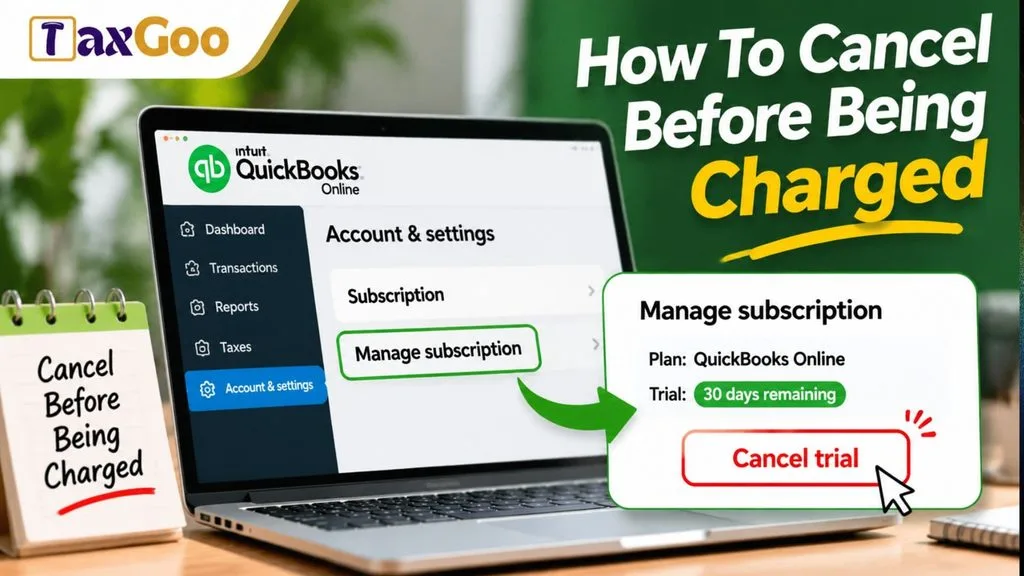
How To Cancel Before Being Charged
If you decide not to continue, canceling takes just a few clicks and can be done at any time. Sign in to the Intuit Account Manager, select Products & billing, choose your company name, find your QuickBooks Online subscription, and click Cancel. You can also cancel from inside the dashboard by clicking the gear icon, opening Account and Settings, navigating to the Billing & Subscription tab, and selecting Cancel.
If you never entered credit card details during signup, you can simply let the trial expire on its own. Keep in mind that if you cancel during a free trial or let it expire, your company data remains available for 90 days before it is removed.
Frequently Asked Questions
Can I Switch Plans During My Free Trial?
Yes. QuickBooks Online lets you switch plans or cancel at any time with no annual contract.
What Happens To My Data If I Cancel A Free Trial?
If you cancel during a free trial or allow the trial to expire, your data stays accessible for 90 days.
Does QuickBooks Online Have A Completely Free Plan?
Yes. Separate from the 30-day trial, QuickBooks offers an ongoing Free plan at $0 per month with no credit card required for one user.
Can I Combine The 30 Day Free Trial With The Three Month Discount?
No. You must choose either the 30-day free trial or the three-month introductory discount when signing up.
Related Keywords For Internal Linking
- QuickBooks Online free trial signup
- QuickBooks Online pricing plans 2026
- QuickBooks Simple Start vs Essentials
- How to cancel QuickBooks Online trial
- QuickBooks free trial vs discount offer
- Cloud accounting software free trial
- QuickBooks Online Free plan limits
- Best small business bookkeeping trial